⚠️ Affiliate Disclosure: This post is not an affiliate associated review. It may become one in the future and this disclosure will reflect that. This does not affect my reviews and I only recommend tools I genuinely believe in.
This Claude AI review covers Anthropic’s AI assistant — one of the strongest ChatGPT alternatives available in 2026. We tested it on writing, research, coding help, and reasoning tasks to see how it holds up in everyday use. Here’s our honest verdict.
Update, September 2026: Anthropic has released Claude Fable 5.1 — a 1-million-token context window, lower costs and fewer refusals. We are retesting and will update scores if our verdict changes.
Update, 29 September 2026: Anthropic has launched Claude Sonnet 5.5 — more than 30% faster than Sonnet 5, ahead of Opus 5.5 on the Terminal-Bench coding benchmark, and now powering claude.ai’s free tier. We’ll retest and update the verdicts below once we’ve used it on our own tasks.
Claude AI Review
Our Claude AI Review will shoe how Claude is one of the most capable AI assistants available right now — and one of the least talked-about among everyday users. While ChatGPT gets most of the headlines, Claude has quietly become the tool many writers, researchers, and professionals prefer for serious work.
What is Claude AI?
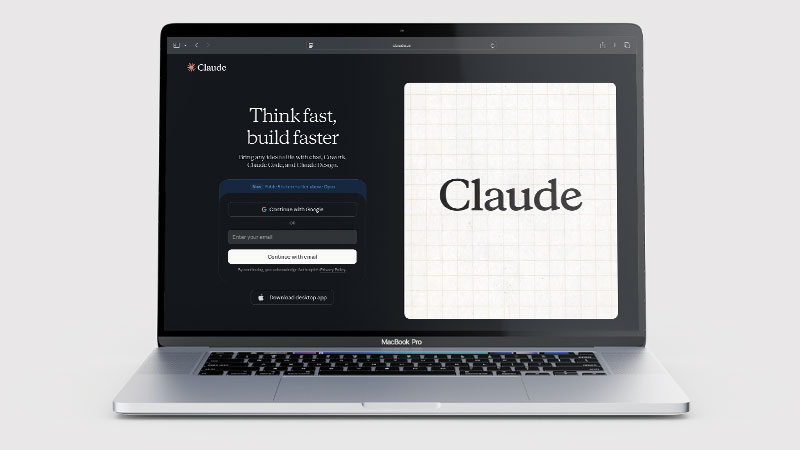
Claude is an AI assistant made by Anthropic, a US-based AI safety company. It competes directly with ChatGPT — you can chat with it, ask it to write things, analyse documents, summarise long text, help with research, and work through problems step by step.
What sets Claude apart is its emphasis on careful reasoning and longer, more considered responses. It’s designed to think through nuance rather than just produce fast answers, which makes it particularly strong for tasks where accuracy and context matter.
What Can You Do With Claude AI?
Claude handles a wide range of tasks well. You can use it to draft emails, blog posts, reports, and social media content. It’s particularly strong at analysing documents — upload a PDF or paste in a long piece of text and Claude can summarise it, pull out key points, or answer questions about it.
It’s also one of the better AI tools for research and brainstorming. Ask Claude to explore a topic and it tends to give structured, thoughtful responses rather than surface-level bullet points. For coding, proofreading, and working through complex decisions, it consistently performs at or near the top of the category.
Claude AI Pricing
Claude has a free plan and several paid tiers:
| Plan | Price | Best for |
|---|---|---|
| Free | £0/month | Occasional use, trying out the tool |
| Pro | ~£16/month | Regular users who need more capacity |
| Max 5x | ~£80/month | Heavy users hitting Pro limits |
| Max 20x | ~£160/month | Power users needing maximum output |
| Team | ~£20/seat/month | Small teams (5+ users) |
The free plan is genuinely useful — more so than many competitors’ free tiers. The Pro plan (billed monthly only, no annual option) gives significantly more daily usage and access to Claude’s most powerful models. When you hit the free plan’s daily limit, you must wait until the next day to continue — there is no way to purchase extra capacity mid-day without upgrading. The Max plans (5x and 20x) multiply Pro’s usage limits by 5 or 20 respectively — useful for heavy professional users running long documents or intensive research. The Team plan requires a minimum of 5 seats. Check Anthropic’s website for current GBP pricing as rates are updated periodically.
Claude AI Review: Pros and Cons
Claude AI Pros
- Exceptionally strong at long-form writing and analysis
- Handles very long documents with ease
- Responses feel thoughtful and nuanced
- Generous free tier
- Strong at following complex instructions
Claude AI Cons
- No image generation on any plan
- No web browsing on the free plan
- Fewer third-party integrations than ChatGPT
- Can occasionally be overly cautious
- Less well-known so fewer community resources
Who Is Claude AI For?
Claude AI is a strong fit for professionals, researchers, developers, and knowledge workers who need a capable AI assistant for complex analysis, long documents, nuanced reasoning, and thoughtful writing. If you work regularly with large amounts of information — lengthy reports, codebases, research papers — Claude’s extended context window and careful, balanced responses make it genuinely useful. It is less suited to users who primarily need quick one-line answers or basic content generation.
Key Use Cases
Long-form writing and editing. Claude is one of the best AI tools for writing anything longer than a few paragraphs. It maintains context well across long pieces, keeps a consistent tone, and produces output that feels less robotic than many alternatives.
Document analysis. Upload a contract, report, or research paper and Claude can summarise it, extract key points, or answer specific questions about it. The context window is large, meaning it handles genuinely long documents without losing track.
Research and reasoning. Ask Claude to explore a complex topic and it gives structured, balanced responses that acknowledge nuance — particularly useful for multi-step problems or decisions.
Coding assistance. Claude performs strongly on coding tasks — explaining code, fixing bugs, writing functions. Non-developers will find it particularly good at explaining what code does in plain English.
Professional communications. Emails, proposals, reports, and presentations are all areas where Claude delivers polished output with relatively little input from you.
What Are the Downsides of Claude AI?
No image generation. Unlike ChatGPT, Claude cannot create images on any plan. If visual content is part of your workflow, you’ll need a separate tool like Midjourney or ChatGPT’s built-in image generation.
Fewer integrations. ChatGPT has a larger ecosystem of third-party integrations. Claude is catching up, but if you rely on specific tools connecting to your AI assistant, check compatibility first.
Can be cautious. Claude is trained with a strong emphasis on safety, which occasionally means it adds caveats where they aren’t really needed. Most users won’t hit this regularly.
No real-time web access on free. Web search is available on paid plans only. Free users are limited to Claude’s training data cutoff.
How Does It Compare to ChatGPT?
ChatGPT has the advantage of brand recognition, a larger plugin ecosystem, image generation via GPT Image 2, and voice input. Claude has the advantage on long-form writing quality, document handling, and responses that feel more carefully considered. Many people who use both end up preferring Claude for focused writing work and ChatGPT for quick lookups and image tasks.
| Feature | ChatGPT | Claude AI |
|---|---|---|
| Free plan | ✓ Yes | ✓ Yes |
| Paid plan | £20/month | £18/month |
| Image generation | ✓ Yes (GPT Image 2) | ✗ No |
| Context window | 128k tokens | Up to 1M tokens (Fable 5.1) |
| Web browsing | ✓ Plus only | ✓ Pro only |
| Best for | General use & image gen | Long docs & nuanced writing |
See our full ChatGPT vs Claude AI comparison →
Is Claude AI Good? Our Verdict
Yes — we scored Claude AI 9/10. The writing quality is the best of any mainstream assistant, especially on long documents, and the interface stays out of your way. It generates no images at all and the free plan has no web browsing, which are real gaps against ChatGPT.
Claude is a genuinely excellent AI assistant that deserves more attention than it gets. The writing quality is among the best in the category, the document analysis is impressive, and the free plan is more useful than most. The lack of image generation is a real gap, but for anyone who does a lot of writing, research, or document-heavy work, it’s one of the first tools we’d recommend trying.
Claude AI Review Rating: 9/10
Best for: Writers, researchers, and professionals who need a reliable AI assistant for long-form work.
Not ideal for: Anyone who needs image generation or relies heavily on third-party AI integrations.
Claude AI Score Breakdown
| Output quality | 9.5/10 | The best writing quality of any mainstream assistant, especially on long documents |
| Ease of use | 9/10 | Clean and uncluttered, with none of the model-picker confusion |
| Features | 8/10 | No image generation at all, and no web browsing on the free plan |
| Value for money | 8.5/10 | Free plan is capable and the paid tier undercuts ChatGPT Plus |
| Overall score | 9/10 | The one to choose when the quality of the writing matters most |
Frequently Asked Questions
Is Claude AI worth it?
If writing quality matters most, yes. Claude AI is capable enough on the free plan to judge properly before paying, and the paid tier undercuts ChatGPT Plus. It is the wrong choice if you need image generation, which it does not do at all.
Is Claude AI free to use?
Yes — Claude has a free plan with daily usage limits. The Pro plan (around £16/month) unlocks more capacity and access to the most powerful Claude models.
Is Claude AI better than ChatGPT?
It depends on the task. Claude tends to produce higher-quality long-form writing and handles complex documents better. ChatGPT has more integrations and can generate images. Most serious users end up using both.
Who makes Claude AI?
Claude is made by Anthropic, an AI safety company founded in 2021 by former OpenAI researchers. Anthropic has a strong focus on building AI that is safe and reliable.
Can Claude AI access the internet?
Web search is available on Claude’s paid plans. Free users are limited to Claude’s training knowledge cutoff.
Is Claude AI good for non-technical users?
Yes — you just type what you need in plain English. No technical knowledge required. It’s particularly good at explaining complex topics clearly, which makes it useful for people who aren’t comfortable with tech.
Can I cancel my Claude Pro subscription?
Yes — cancel anytime from your Claude account settings at claude.ai. Your Pro access continues until the end of the current monthly billing period with no further charges. Claude Pro is billed monthly (no annual commitment), so you are never locked in for more than one month at a time. There is no free trial on Pro — you pay from day one, but the free plan gives you a genuine opportunity to test Claude before upgrading.
Claude AI Alternatives Worth Considering
Claude AI is one of the most capable AI assistants available, but depending on what you need, one of these alternatives might be a better fit:
🤖 ChatGPT
Best if you want the most widely used AI assistant — with image generation, web browsing, custom GPTs, and the largest app ecosystem.
🔍 Perplexity AI
Best if you want AI-powered research with cited sources — every answer links back to where the information came from.
Read our Perplexity AI review →
✍️ Jasper AI
Best if you need AI writing built specifically for marketing teams — with brand voice controls and campaign-ready templates.
More AI Tool Reviews
Every tool we review is signed up for and tested by hand. See how we test and score.

James is an SEO and content specialist with over 12 years’ experience, and tests AI tools so everyday people don’t have to. WhatAITools.co.uk covers honest, no-jargon reviews to help you find the right tool for your needs.
Leave a Reply