⚠️ Affiliate Disclosure: This review contains affiliate links. If you sign up through one of them I may earn a commission, at no extra cost to you. This does not affect my reviews and I only recommend tools I genuinely believe in.
This ElevenLabs review covers the AI voice generator that’s become the go-to for creators and developers who need realistic text-to-speech and voice cloning. We tested it across multiple use cases to give you an honest picture of what it can and can’t do.
Update, 29 September 2026: ElevenLabs has launched Eleven v4 and v4 Turbo — a new architecture with 10-second voice cloning and inline emotion control, already ranked #1 in Artificial Analysis’s blind listening tests. Our 8.5/10 below reflects v3-era testing; we’ll retest on v4 and update this review, as we did for the v3 and MCP launches.
ElevenLabs Review
ElevenLabs is the AI voice generator that content creators, YouTubers, and businesses use to produce natural-sounding voiceovers without recording a single word. One creator used it to grow a YouTube channel to 6,000 subscribers and 8 million views in three months — for a total spend of $11. Our ElevenLabs review will show what ElevenLabs actually delivers.
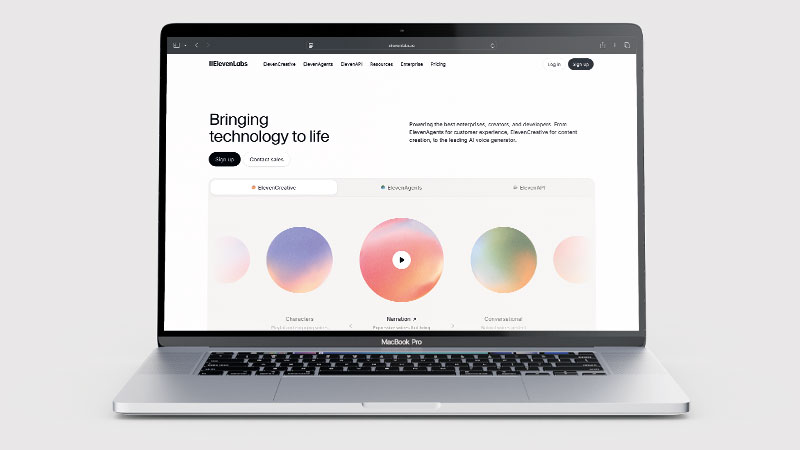
What is ElevenLabs?
ElevenLabs is an AI text-to-speech and voice cloning platform. It converts written text into natural-sounding audio using AI models trained on human voices — with breathing, emotional variation, and pacing that closely match real speech. Founded in 2022, it has become the benchmark for AI voice quality.
The platform is used by content creators, publishers, podcasters, app developers, and businesses needing professional voiceovers at scale. Over 10,000 voices are available in its Voice Library — spanning 29 languages, 50 accents, and dozens of use cases from social media narration to audiobooks to meditation content. Voice artists upload their own voices to the library and earn royalties every time someone uses them.
What Can You Do With ElevenLabs?
Text-to-Speech is the core feature — paste a script, choose a voice, and download natural-sounding audio in MP3 or WAV. You control stability (consistency), similarity (how closely it matches the target voice), and style exaggeration (emotional variation) through simple sliders. The Eleven Multilingual V2 model offers the best balance of quality and stability for most users.
Voice Cloning lets you upload recordings of your own voice and create an AI clone that reads any text in your exact tone. Instant Voice Cloning generates a clone in seconds; Professional Voice Cloning takes longer but produces higher fidelity for client-facing use. AI Dubbing automatically translates and redubs existing videos into 29 languages while preserving each speaker’s original voice and timing. Studio handles long-form audio production — assign different voices to different characters, build up to 200-chapter projects, and produce audiobooks at scale. Voice Agents lets you build conversational AI phone agents powered by models including Claude and Gemini.
ElevenLabs Pricing
| Plan | Price/month | Characters/month | Key features |
|---|---|---|---|
| Free | $0 | 10,000 | Basic TTS, test the platform |
| Starter | $5 | 30,000 | Instant voice cloning, commercial licence |
| Creator | $22 | 100,000 | Professional voice cloning, higher quality audio |
| Pro | $99 | 500,000 | API access, usage analytics |
| Scale | $330 | 2,000,000 | High-volume production |
| Business | $1,320 | 11,000,000 | Advanced features, priority support |
10,000 characters is roughly 6–7 minutes of audio – enough to test the platform. Important fine print: the free plan does not include commercial usage rights or voice cloning – both require the Starter plan ($5/month) or above. Unused character credits do not roll over to the following month. Annual billing is available and saves roughly 22% compared to monthly pricing. Check ElevenLabs’ website for current pricing as plans are updated regularly.
ElevenLabs MCP: Manage It From Inside Claude
In August 2026 ElevenLabs launched a hosted MCP connector, which puts your ElevenLabs workspace inside Claude. You install it in one click from Claude’s connector directory, sign in once with your ElevenLabs account — OAuth, no API keys — and Claude can then create, configure and monitor your voice and chat agents in plain conversation: revise a system prompt, swap a voice, review performance, or estimate what a model change would cost before applying it.
Two honest caveats, both from our own test. The hosted connector works in Claude and Claude Code — not ChatGPT, whatever the launch marketing implies. And the creative side is messier than the “coming soon” label suggests. On launch day, a voice-clip request on a free account showed “The generation failed” while Claude’s reply claimed takes had been produced. On retest after the daily limit reset, the same prompt worked first time — so text to speech through the connector is real, but hit the free-plan daily limit and it fails opaquely, with the assistant describing a success the product denies. Image generation works too — one prompt, one convincing PNG, about 251 credits — though the model badge reveals it is Google’s gemini-2.5-flash-image doing the generating, not an ElevenLabs model. If you use Cursor or another MCP client, the older open-source ElevenLabs server still covers that, run locally with an API key. Permissions are scoped per workspace and revocable at any time.
ElevenLabs Review: Pros and Cons
ElevenLabs Pros
- Exceptionally natural voices — breathing, emotion, natural pacing
- 10,000+ voices across 29 languages and 50 accents
- Voice cloning from just a few minutes of audio
- Dubbing preserves original speaker voice across 29 languages
- Commercial licence from just $5/month
- Free plan available (10k characters/month)
- Hosted MCP connector puts agent management inside Claude — OAuth, no API keys
- Studio mode for multi-chapter audiobook production
- Voice artists earn royalties from the Voice Library
ElevenLabs Cons
- Credits are consumed quickly on longer projects
- Unused credits don’t roll over to the next month
- Pronunciation needs manual correction for specialist terms
- Some premium library voices have credit multipliers (2–3x)
- Sound effects feature still limited compared to professional SFX libraries
- Output can vary slightly between generations of the same text
Who Is ElevenLabs For?
ElevenLabs is built for content creators, audiobook producers, podcasters, game developers, and businesses needing high-quality AI voice generation and text-to-speech. If you need convincing, expressive AI voices for long-form audio content, video narration, or interactive applications, ElevenLabs sets the standard for output quality. It is less suited to users needing only basic text-to-speech for simple notifications or short-form use cases, where simpler and cheaper tools would do.
Key Use Cases
Faceless YouTube channels. Narrate videos without showing your face or hiring a voice actor. The Creator plan at $22/month gives 100,000 characters — enough for a consistent weekly posting schedule. Thousands of channels in history, documentary, true crime, and lore niches run entirely on ElevenLabs. Real proof: one creator used the Creator plan to hit 6k subscribers and 8 million views across a new channel in three months for an $11 total spend.
Audiobook production at scale. Studio mode handles multi-chapter projects up to 200 chapters. Assign different voices to different characters, customise pronunciation for specific terms, and download finished audio as MP3. For publishers or self-published authors, this cuts production costs dramatically compared to hiring voice actors for every title.
Multilingual content from a single recording. Dub your existing videos into 29 languages while keeping your original voice tone, pacing, and emotional delivery. One video becomes content for global audiences — without re-recording or hiring translators to perform on camera.
What Are the Downsides of ElevenLabs?
Credits go fast on high-volume projects. The free plan’s 10,000 characters equals roughly 6–7 minutes of audio — plenty to evaluate the platform, not enough to run a channel. If you’re producing regular content, the Creator plan at $22/month is the realistic entry point. Credits also don’t roll over, so unused characters at month end are lost.
Pronunciation needs attention. Names, acronyms, technical terms, and words the AI hasn’t trained enough on can come out wrong. ElevenLabs provides a custom pronunciation dictionary, but setting it up for specialist content takes time — and won’t catch everything on the first pass.
Output isn’t always identical between generations. Generating the same text twice can produce subtly different results in tone or pacing. For most video narration this is fine, but batch production workflows still require a review step before publishing.
How Does It Compare to Murf.ai?
Murf is built around a polished in-browser editor with around 120 voices and clear team collaboration tools — a good choice for teams wanting a simple production workflow. ElevenLabs focuses on voice quality and flexibility: its models sound more human, its library is far larger (10,000+), and voice cloning is a core feature rather than an add-on. For the most realistic AI voice output available, ElevenLabs is the clear choice. For teams who want a straightforward editor without learning any settings, Murf is worth comparing.
| Feature | ElevenLabs | Murf.ai |
|---|---|---|
| Voice quality | ✅ Industry-leading | ⚠️ Good but less natural |
| Number of voices | ✅ 10,000+ | ⚠️ ~120 |
| Voice cloning | ✅ Core feature | ⚠️ Limited add-on |
| AI dubbing | ✅ 29 languages | ❌ Not available |
| In-browser editor | ⚠️ Studio mode | ✅ Full editor |
| Starting price | $5/month | $29/month |
| Best for | Creators wanting best voice quality | Teams wanting simple workflow |
Is ElevenLabs Good? Our Verdict
Yes — we scored ElevenLabs 8.5/10. It produces the most convincing AI speech available, including voice cloning, and the library and dubbing tools are excellent. The credit model is the weak point: credits go quickly on long projects, do not roll over, and premium voices cost multiples.
ElevenLabs is the clearest AI voice recommendation we can make. The voice quality is genuinely impressive, the library is enormous, and commercial usage rights start at $5/month — making it accessible to any creator or small business. Whether you’re building a faceless YouTube channel, producing audiobooks, or dubbing content for global audiences, ElevenLabs is the tool most professionals reach for first. The results speak for themselves.
ElevenLabs Review Rating: 8.5/10
Best for: Content creators, YouTubers, publishers, and businesses needing high-quality voiceovers without studio recording.
Not ideal for: One-off voiceover needs where a free tool would suffice, or teams wanting a full in-browser editor with collaboration features built in.
ElevenLabs Score Breakdown
| Output quality | 9.5/10 | The most convincing AI speech available, including cloning |
| Ease of use | 8.5/10 | Simple to generate; pronunciation of specialist terms needs manual fixing |
| Features | 9/10 | Cloning, dubbing, sound effects and a large voice library |
| Value for money | 7/10 | Credits go quickly, do not roll over, and premium voices cost multiples |
| Overall score | 8.5/10 | The best AI voice quality there is, on a credit model that punishes long projects |
Frequently Asked Questions
Is ElevenLabs worth it?
For quality-critical voice work, yes. ElevenLabs produces the most convincing AI speech available and nothing else comes close on cloning. Watch the credits: they go quickly on long projects, do not roll over, and premium library voices cost multiples of standard ones.
Is ElevenLabs free to use?
Yes – the free plan gives you 10,000 characters per month (roughly 6–7 minutes of audio), which is enough to explore the platform. However, the free plan does not include commercial usage rights, instant voice cloning, or access to all voice models. For commercial use or voice cloning, you need at least the Starter plan ($5/month).
Can I use ElevenLabs for YouTube?
Yes. Channels using ElevenLabs voiceovers can be monetized provided the content is original, valuable, and follows YouTube’s guidelines — including being transparent about AI use. Thousands of faceless YouTube channels already use ElevenLabs as their primary narration tool.
How does ElevenLabs voice cloning work?
You upload recordings of the voice you want to clone (you must own the rights). Instant Voice Cloning generates a usable clone within seconds from a few minutes of audio. Professional Voice Cloning takes longer but produces higher fidelity — better for client-facing or long-term professional use. Your clone can then read any text you give it.
How many voices does ElevenLabs have?
Over 10,000 voices across 29 languages and 50 accents via the Voice Library, plus the ability to create your own from a text prompt or clone from audio. Many of the best voices in the library are Professional Voice Clones created by real voice artists who earn royalties when their voices are used.
Which ElevenLabs voice model is best?
For most users, the Eleven Multilingual V2 model gives the best balance of quality and stability across long scripts. The newer V3 model offers the latest capabilities but can occasionally be inconsistent on longer content. Eleven Flash V2.5 is 50% cheaper and still decent quality if budget is a priority.
Can I cancel my ElevenLabs subscription?
Yes – you can cancel anytime from your ElevenLabs account settings under Subscription. Your access and remaining characters continue until the end of the current billing period; you will not be charged again after cancelling. Unused characters are not refunded and do not carry over. Annual plans are charged upfront for the full year — if you cancel an annual plan mid-year you lose the remaining credits with no refund, so make sure to test on a monthly plan first.
ElevenLabs Alternatives Worth Considering
ElevenLabs leads for voice quality and range — but depending on your workflow, one of these alternatives may suit you better:
🎙️ Murf.ai
Best if you want a polished in-browser editor with team collaboration features — Murf provides a straightforward production workflow that doesn’t require learning voice settings or sliders.
🔊 PlayHT
Best for developers and publishers needing extensive API access and ultra-realistic conversational AI voices at high monthly volume.
🎧 Adobe Podcast
Best if you want to record your own voice and use AI to dramatically enhance it — removing background noise, cleaning up audio, and producing studio-quality recordings without a studio.
Every tool we review is signed up for and tested by hand. See how we test and score.

James is an SEO and content specialist with over 12 years’ experience, and tests AI tools so everyday people don’t have to. WhatAITools.co.uk covers honest, no-jargon reviews to help you find the right tool for your needs.
Leave a Reply