⚠️ Affiliate Disclosure: This post is not an affiliate associated review. It may become one in the future and this disclosure will reflect that. This does not affect my reviews and I only recommend tools I genuinely believe in.
This Lindy review examines the AI personal assistant you interact with entirely via iMessage or SMS — handling your inbox, scheduling your meetings, taking your call notes, and drafting your follow-ups, 24/7. We tested it across a real professional workload to see whether the conversational assistant model delivers on the promise of getting two hours back every day. Here’s our honest verdict.
Last updated: July 2026
Lindy Review
Lindy AI takes a genuinely different approach to AI productivity. Rather than building another dashboard, another app, another interface to manage — Lindy is an assistant you text. It lives in your Messages app. Text it that you need to reschedule a meeting and it coordinates with the other party. Tell it to draft a reply to an email and it does so in your voice. Ask what’s on your calendar and it tells you. No new interface to learn, no app to open, no workflow to remember.
The pitch is that Lindy at $49.99/month replaces five separate tools — Superhuman, Calendly, Otter.ai, Fyxer, and ChatGPT — that would cost £139/month combined. Whether that consolidation is worth the premium depends on your current tool spend and how much of your day is consumed by email and meeting admin. In this Lindy Review we will investigate how it all works!
What is Lindy?
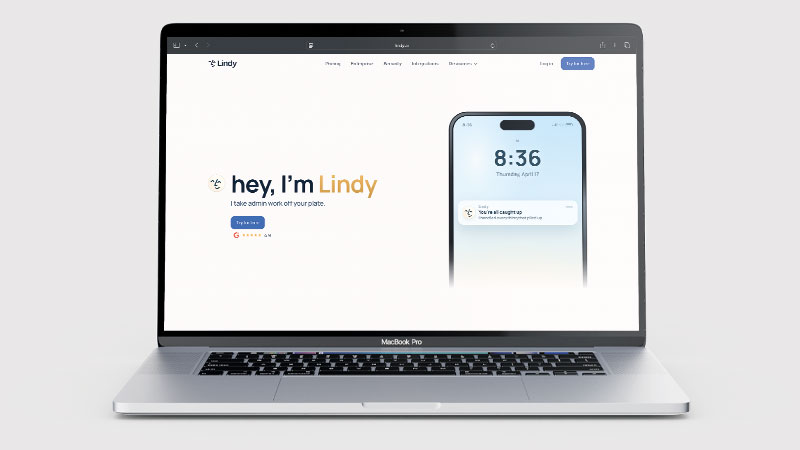
Lindy is an AI personal assistant that operates primarily through iMessage (iOS) or SMS (Android). You interact with it by texting, just as you would with a human assistant. It connects to your email accounts, calendar, and integrations to take actions on your behalf — triaging your inbox, drafting emails in your voice, scheduling meetings, joining calls to take notes, and sending follow-ups. Everything goes through one conversational interface rather than multiple apps.
The key product decision that distinguishes Lindy is the interface. Rather than a web app or mobile app, your interactions happen in your existing messaging app. This removes the friction of switching contexts — your assistant is in the same place as your personal messages, which means you are more likely to actually use it rather than forgetting to check another dashboard.
What Can Lindy Do?
Lindy AI manages your inbox — triaging email, flagging what matters, and drafting replies in your voice that get better over time as it learns your communication style. It handles meeting scheduling by coordinating directly with other parties rather than just providing a booking link. It joins calls to take notes and generates follow-up emails automatically for your review. It can answer questions about your schedule, summarise email threads, and handle calendar management all within a text conversation.
From the Pro plan ($99.99/month), Lindy gains computer use capability — it can take actions on your desktop, not just within the apps it is integrated with. This opens up a significantly wider range of tasks for power users willing to pay the higher tier price. The Pro plan also lets you select which AI model Lindy runs on, which affects response quality and cost.
What Can You Do With Lindy?
Lindy is a personal assistant that works through the apps you already use. Here is what it takes on.
- Manage your inbox — Lindy triages email and drafts replies in your style.
- Handle scheduling — Lindy arranges meetings without the back-and-forth.
- Take meeting notes — Lindy captures and summarises calls alongside its other work.
- Chase follow-ups — Lindy tracks what is outstanding and prompts you.
- Work through iMessage or SMS — Lindy lives where you already are rather than in another app to check.
- Learn how you write — Lindy’s drafts improve over time, though early ones need editing.
- Expect a better experience on iOS — Lindy is optimised for iMessage; Android over SMS works but is less seamless.
Lindy Pricing
| Plan | Price | Inboxes | Usage | Best For |
|---|---|---|---|---|
| Plus | $49.99/mo | Up to 2 | Standard | Busy professionals replacing multiple productivity tools |
| Pro | $99.99/mo | Up to 3 | 3× Plus | Power users who want computer use and model selection |
| Max | $199.99/mo | Up to 5 | 7× Plus | Heaviest workloads |
| Enterprise | Custom | Unlimited | Custom | Teams with HIPAA, SSO, and custom integration needs |
All plans include a 7-day free trial with full Plus feature access — the right way to evaluate Lindy, as the value becomes clear over a real week of email and meeting volume. No long-term contracts on Plus; cancel from settings at any time. “Usage” scales with plan: Pro gives 3× the Plus usage allowance, Max gives 7×. For most professionals, Plus is the right starting plan to evaluate.
Lindy Review: Pros and Cons
Lindy Pros
- iMessage/SMS interface removes context-switching — assistant is where you already are
- Consolidates inbox management, scheduling, meeting notes, and follow-ups in one subscription
- Learns your communication style over time — draft quality improves with use
- Human-in-the-loop approval on all outbound emails and messages — nothing sent without review
- 7-day free trial with full Plus features — evaluate on a real workweek
- Privacy-first: data never sold, never used for model training
Lindy Cons
- $49.99/mo is a significant individual productivity spend
- Optimised for iOS/iMessage — Android experience via SMS is functional but less seamless
- Style learning takes time — early drafts need more editing than later ones
- Computer use (a significant capability unlock) only available from Pro at $99.99/mo
- Value is highest if replacing multiple existing subscriptions — lower if adopting from scratch
Who Is Lindy For?
Lindy is designed for busy professionals, executives, and teams who want an AI assistant that handles repetitive tasks across apps — email triage, scheduling, research, data entry — through a conversational interface rather than manual automation builders. If you spend significant time on tasks that could be delegated to an intelligent assistant, Lindy is a strong option. It requires some setup time to configure workflows and is less suited to users wanting a simple, single-purpose tool.
Key Use Cases
Inbox management for high-email-volume professionals. Founders, consultants, executives, and salespeople who receive hundreds of emails daily spend disproportionate time on email triage and reply drafting. Lindy triages your inbox, surfaces what matters, and drafts replies in your voice for review — reducing the time from “open email app” to “done with email” significantly, especially after a few weeks of style learning.
Meeting scheduling without the back-and-forth. The scheduling process — the “are you free Tuesday?” emails that take five exchanges to resolve — is handled conversationally by Lindy. Tell it you need to schedule a call with someone and it coordinates availability directly, removing you from the exchange. The result appears in your calendar without you having to touch a scheduling tool.
Post-meeting follow-up automation. After every call, Lindy generates a summary and draft follow-up email for your review. The combination of meeting notes and ready-to-send follow-up drafts removes the post-meeting admin that often gets deprioritised when the next meeting starts immediately — which, for busy professionals, is almost always.
What Are the Downsides of Lindy?
The value proposition of Lindy is strongest for professionals who are already paying for multiple productivity tools it replaces. If you are on Superhuman ($40/mo), Calendly ($12/mo), and Otter.ai ($17/mo), switching to Lindy at $49.99/mo saves money immediately while simplifying to one interface. If you are starting from scratch with no existing tool spend, Lindy looks expensive versus free alternatives in each category.
The iMessage-first design is genuinely better on iOS than Android. Android users get SMS functionality — fully usable — but miss the richer iMessage experience that makes Lindy feel most like a real assistant. If your team is Android-heavy, the experience gap is worth considering.
How Does Lindy Compare to Superhuman?
Superhuman is the best-in-class email client — beautiful interface, keyboard shortcuts, AI reply drafting, read receipts, and a laser focus on email speed. It does email and does it excellently. Lindy does email plus scheduling plus meeting notes plus follow-ups, through your Messages app rather than a dedicated email client. For pure email experience, Superhuman is the better tool. For replacing multiple tools with one assistant that works through your phone’s messaging app, Lindy is the more comprehensive value. Many heavy Superhuman users replace it with Lindy once they experience having inbox, calendar, and meeting admin all handled in one place.
| Feature | Lindy | Superhuman |
|---|---|---|
| Free trial | ✓ 7 days, full Plus access | ✓ Limited |
| Price | $49.99/mo | $40/mo |
| Interface | iMessage / SMS | Dedicated email client |
| Email management | ✓ | ✓ Best-in-class |
| Meeting scheduling | ✓ | ✗ |
| Meeting notes | ✓ | ✗ |
| Best for | All-in-one assistant via messaging | Premium email experience |
Is Lindy Good? Our Verdict
Yes — we scored Lindy 8.5/10. Running through iMessage and SMS means the assistant is where you already are, and it consolidates inbox, scheduling and follow-ups into one subscription. At $49.99 a month it is priced for people whose time is expensive, and it takes time to learn your style.
Lindy is one of the most creative AI products in the productivity space. The decision to build it around your phone’s messaging app rather than another dashboard is smart: it meets you where you already are, which is why people actually use it. The combination of inbox management, scheduling, meeting notes, and follow-ups in one $49.99/month subscription genuinely undercuts the multi-tool alternative.
The learning curve is real — early drafts need editing, and the style learning that makes Lindy excellent takes a few weeks to kick in. But for professionals who actually need all the things Lindy covers, and who want them in one place rather than fragmented across five apps, it is a compelling product that gets better the longer you use it.
Lindy Review Rating: 8.5/10
Every tool we review is signed up for and tested by hand. See how we test and score.
Best for: Busy professionals — founders, executives, consultants, salespeople — who want AI to handle inbox, scheduling, meeting notes, and follow-ups through one conversational interface, replacing multiple separate tools.
Not ideal for: Users who only need one of those functions (e.g., just scheduling or just meeting notes) where a cheaper point solution covers the need, or professionals on Android for whom the iMessage advantage does not apply.

Leave a Reply