
⚠️ Affiliate Disclosure: This post is not an affiliate associated review. It may become one in the future and this disclosure will reflect that. This does not affect my reviews and I only recommend tools I genuinely believe in.
This Replit review tests the AI coding platform that promises to let complete beginners build real apps without any coding knowledge. We used it to build a working project from scratch and tracked every hurdle. Here’s an honest assessment of whether it delivers.
Replit Review
Replit has quietly become one of the most powerful platforms for building apps with AI assistance. Unlike pure no-code tools, Replit gives you real code — but lets an AI agent write most of it. The result is a platform that works for non-coders who want results fast, and for developers who want to build faster with AI help. This Replit Review will explain what you need to know.
What is Replit?
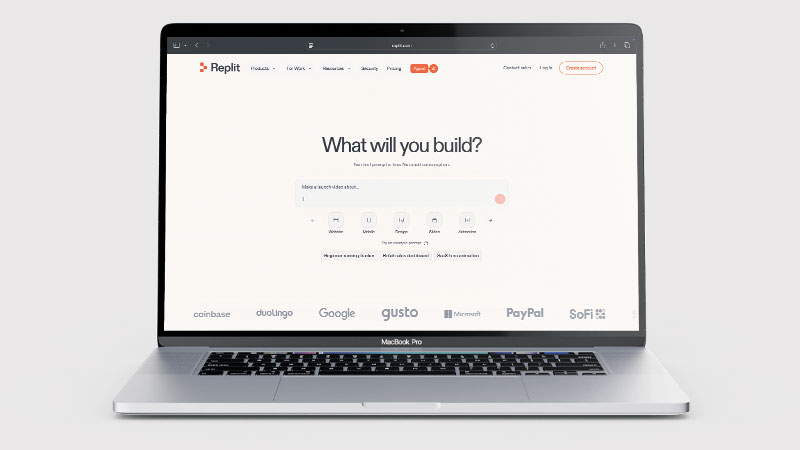
Replit is a cloud-based development platform with a powerful AI coding agent that can build entire applications from a description. Originally popular as a browser-based IDE for programmers, Replit has evolved into an end-to-end app building and deployment platform — complete with built-in databases, hosting, and an AI agent that can write, debug, and deploy code on your behalf.
The Replit Agent is particularly impressive: you describe what you want to build, the Agent plans, codes, and deploys the app. You can publish it in any region and invite collaborators to work alongside you. For builders who are comfortable seeing code (even if they cannot write it), Replit offers more transparency and control than purely visual no-code tools.
What Can You Do With Replit?
Replit is a full development environment with an AI agent attached. Here is what it does.
- Build and deploy real applications — Replit’s AI agent writes working code and ships it.
- Work in any language — Replit is not limited to one stack or framework.
- Get a database and hosting included — Replit handles storage and deployment without a separate service.
- Run agents in parallel — Replit’s higher plans build several things at once.
- Start free daily — Replit gives free Agent credits each day rather than a one-off trial.
- See the code — Replit is not truly no-code, which is a strength if you want to learn and a barrier if you do not.
Replit Pricing
| Plan | Price | Credits/mo | Key Features |
|---|---|---|---|
| Starter (Free) | $0/mo | Free daily Agent credits | Built-in database, publish 1 project, basic features |
| Core | $25/mo ($20/mo annual) | $25 of monthly credits | Unlimited workspaces, 5 collaborators, parallel agents |
| Pro | $100/mo ($95/mo annual) | $100 of monthly credits | 15 collaborators, 10 parallel agents, premium models, priority support |
| Enterprise | Custom | Custom | SSO, advanced security, custom seat limits |
The free Starter plan includes daily Agent credits that reset each day — useful for regular light use, but each session is limited. Core at $25/month and Pro at $100/month include a monthly credit allowance equal to their plan price; unused credits do not roll over at month end. Important: credits are consumed both when building with Replit Agent (writing/editing code) and when deploying and running your app on Replit servers — so active projects can burn through credits faster than expected. Annual plans save up to 20% and are billed upfront for the full year.
Key Use Cases
Replit is used for a broad range of building tasks. Common use cases include building web apps and APIs with AI assistance without needing deep coding knowledge, rapid prototyping of startup ideas in hours rather than weeks, creating business tools like dashboards, automation scripts, and internal utilities, deploying full-stack apps with database and backend logic included, and collaborating with developers using a shared cloud environment. Developers also use Replit for its speed and the ability to work across any language or framework without local setup.
What Are the Downsides of Replit?
Replit is not a pure no-code tool. While the AI agent abstracts most of the coding, the outputs are real code — which means debugging issues sometimes requires code understanding. The credit system means heavy AI agent use can consume your monthly allowance quickly. The free plan limits you to one published project. Replit is best for web apps; while it can run mobile-compatible apps in a browser, it does not produce native iOS or Android apps. Pricing is in USD.
Replit Review: Pros & Cons
Replit Pros
- Powerful AI agent that writes and deploys real code
- Free plan with daily Agent credits
- Built-in database, hosting, and deployment
- Works with any programming language or framework
- Parallel agents on higher plans for faster builds
- Collaborative cloud environment — no local setup
- Access to the most powerful AI models on Pro
Replit Cons
- Not truly no-code — some code visibility involved
- Credits can run out quickly on intensive builds
- Free plan limited to 1 published project
- USD pricing with no GBP option
- AI agent results can require iteration and debugging
Who Is Replit For?
Replit is ideal for technical non-developers and developers who want to build faster. If you understand what you want to build and you are comfortable seeing code (even without writing it), Replit’s AI agent gives you more power and flexibility than visual no-code tools. It is particularly strong for founders and product people who want to prototype rapidly, developers who want AI-assisted speed, and teams who want to collaborate on a shared cloud environment without any local setup overhead.
How Does Replit Compare to Bubble?
Replit and Bubble both let you build apps without a full local dev setup, but they’re aimed at very different people. Replit is a cloud IDE with AI coding assistance; Bubble is a no-code visual builder. Our comparison breaks down exactly which one suits your needs.
👉 See our full Bubble vs Replit comparison →
Is Replit Good? Our Verdict
Yes — we scored Replit 8.5/10. The AI agent writes and deploys real code, with database, hosting and deployment included, and it works in any language. It is not truly no-code — you will see the code — and credits deplete quickly on intensive builds.
Replit occupies a unique position: it is more powerful than no-code platforms and faster than traditional development. The AI agent is genuinely impressive at building real, functional apps from descriptions. The free plan makes it accessible for experimentation, and the Core plan at $25/month offers strong value. If you are comfortable with the idea of AI-generated code and want more control and depth than pure no-code tools allow, Replit is worth serious consideration.
Replit Review Rating: 8.5/10
Every tool we review is signed up for and tested by hand. See how we test and score.
Replit Score Breakdown
| Output quality | 8.5/10 | Builds working applications from a description, with code you can inspect |
| Ease of use | 8/10 | Not truly no-code — you will see and sometimes touch the code |
| Features | 9/10 | Full development environment, hosting and AI agent in the browser |
| Value for money | 8/10 | Credits deplete quickly on intensive builds, and the free plan allows one project |
| Overall score | 8.5/10 | The best bridge between no-code and real development |
Frequently Asked Questions
Is Replit worth it?
For anyone building real applications, yes. Replit includes the AI agent, database, hosting and deployment in one subscription, which replaces several services. Credits deplete quickly on intensive builds, and the free plan allows only one published project.
Do I need to know how to code to use Replit?
Not necessarily. The Replit Agent can write all the code for you based on your description. However, you will see real code in the editor, and some familiarity with programming concepts helps when things need debugging.
Is Replit free?
Yes. Replit has a free Starter plan with daily Agent credits. The Core plan at $25/month unlocks unlimited workspaces, more credits, and additional features for serious building.
What is Replit Agent?
Replit Agent is the AI system that plans, codes, and deploys applications on your behalf. You describe what you want to build and the Agent handles the technical implementation, including setting up databases, writing logic, and publishing the app.
Can I build a mobile app with Replit?
Replit can build web apps that are responsive and work on mobile browsers. It does not produce native iOS or Android apps for the App Store or Google Play.
Can I cancel my Replit subscription?
Yes — cancel anytime from your Replit account settings. Your plan remains active until the end of the current billing period with no further charges. Unused monthly credits are not refunded and do not carry over. Annual plans are billed upfront for the year; no partial refunds are given if you cancel mid-year. Your projects and code remain accessible on the free Starter plan after cancelling.
Alternatives to Replit
Was this Replit Review useful? Looking for a different approach to app building? Here are some alternatives:
- Base44 — Fully no-code with a visual interface; better if you do not want to see any code at all
- Bubble — The best established no-code platform for complex web apps and SaaS
- Hostinger Horizons — Best for UK users who want hosting, domain, and app builder in one affordable package
More AI Tool Reviews

James is an SEO and content specialist with over 12 years’ experience, and tests AI tools so everyday people don’t have to. WhatAITools.co.uk covers honest, no-jargon reviews to help you find the right tool for your needs.
Leave a Reply