
⚠️ Affiliate Disclosure: This post is not an affiliate associated review. It may become one in the future and this disclosure will reflect that. This does not affect my reviews and I only recommend tools I genuinely believe in.
This Easy MCP AI review is a little unusual: the tool under test is the one that now helps run this site. Easy MCP AI is a free WordPress plugin that lets an AI assistant — Claude, ChatGPT, Cursor — read and write to your site directly. I installed it on WhatAITools itself, connected Claude, and put it to work the same day. This is my onboarding test: install to first verified AI edit, on a live production site.
Easy MCP AI Review
Disclosure: Easy MCP AI is free. Update (14 October 2026): after this review was published, its developer Themeisle (part of Vertigo Studio) paid me $100 to publish a summary of my workflow on their site. It didn’t change this review or the score. I tested it by connecting Claude — the AI assistant I already use to manage this site — so the AI being granted access is also the one that helped me document the test. Every claim below is from my own setup on this site, on the day of writing.
What Is Easy MCP AI?
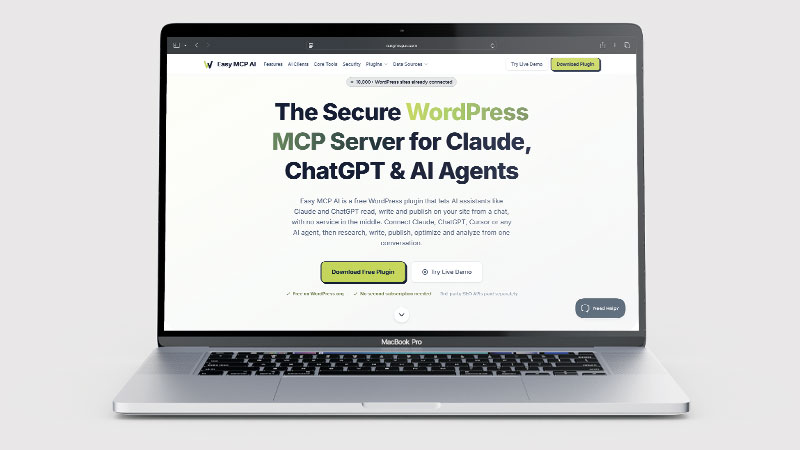
Easy MCP AI turns your WordPress site into an MCP server — MCP (Model Context Protocol) being the standard AI assistants use to operate tools. In plain English: instead of an AI telling you what to change in wp-admin, the AI gets its own keys and does the work itself — drafting posts, updating media, setting SEO fields — while you watch from an audit log. It is developed by Themeisle, part of Vertigo Studio, runs entirely inside WordPress as plain PHP (no external service sits between the AI and your site), and the plugin’s own figures claim 10,000+ active installs and 280+ tools. It is free on WordPress.org with no vendor account; the only paid extras are optional third-party SEO data APIs like DataForSEO or Semrush, billed by those providers, not by Easy MCP AI.
What Can You Do With Easy MCP AI?
- Easy MCP AI exposes your whole content operation to an AI assistant: create, edit and publish posts and pages, upload media and fix alt text, manage categories, tags, menus and comments — from a chat.
- SEO plugin integration: with Rank Math (or Yoast, SEOPress, The SEO Framework) enabled, the AI can read and set SEO titles, descriptions and focus keywords directly. This was the single most useful thing in my test.
- Granular permissions per token: separate read and write toggles for every category — down to user creation, update and deletion as three individual switches.
- A full audit log and change history: every call the AI makes — including reads and refused calls — is recorded with its arguments, the acting user, the AI client, IP address and duration, with before/after diffs and rollback for edits.
- A master kill switch that cuts all AI access instantly.
Easy MCP AI Pricing
Easy MCP AI is free — genuinely free, not freemium-with-a-catch as far as I could find during onboarding. There is no account to create on the vendor’s site and no subscription. The costs that can arise are external: if you want its keyword-research integrations you pay DataForSEO or Semrush directly for their APIs, and you need an AI assistant capable of using MCP connectors (I use Claude). For what I use it for — content, media and Rank Math fields — I have paid nothing.
Setting Up Easy MCP AI: My Onboarding Test
Install from WordPress.org, activate, create a token. The permissions screen is the best and worst moment of onboarding at once. Best, because the granularity is real: I could give the AI write access to posts, media, menus and Rank Math while locking users, plugins, themes and settings to read-only — exactly the shape of access an AI managing content should have. Worst, because the approval screen had everything ticked by default, including the switches for creating, updating and deleting users. That looks alarming, but it overstates the real risk. The riskiest tools — managing users, activating or updating plugins and themes, changing site settings — are switched off site-wide by default, and stay unusable even when ticked until an administrator enables them under Easy MCP AI → Settings → Advanced → Disabled tools. The plugin’s own diagnostics confirmed none were enabled on WhatAITools. The problem is the screen, not the safety net: nothing on it tells you any of that. I would still like it to start unticked.
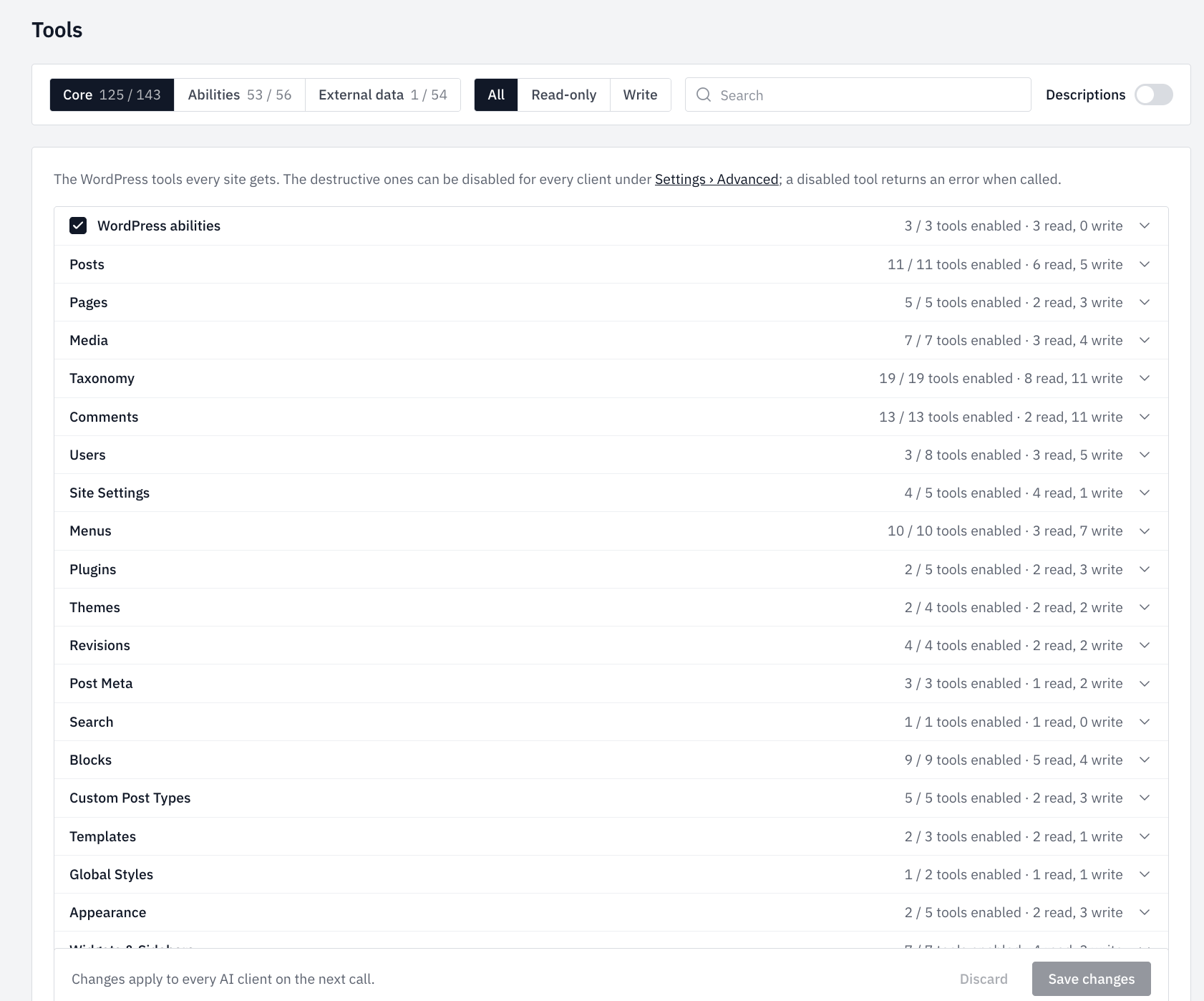
Connecting Claude took one step: paste the site’s MCP endpoint into Claude’s connector settings, approve the OAuth prompt, done. The permission scopes held — the AI’s tool list contained no user-write, plugin-write or theme-write tools at all, matching what I had unticked.
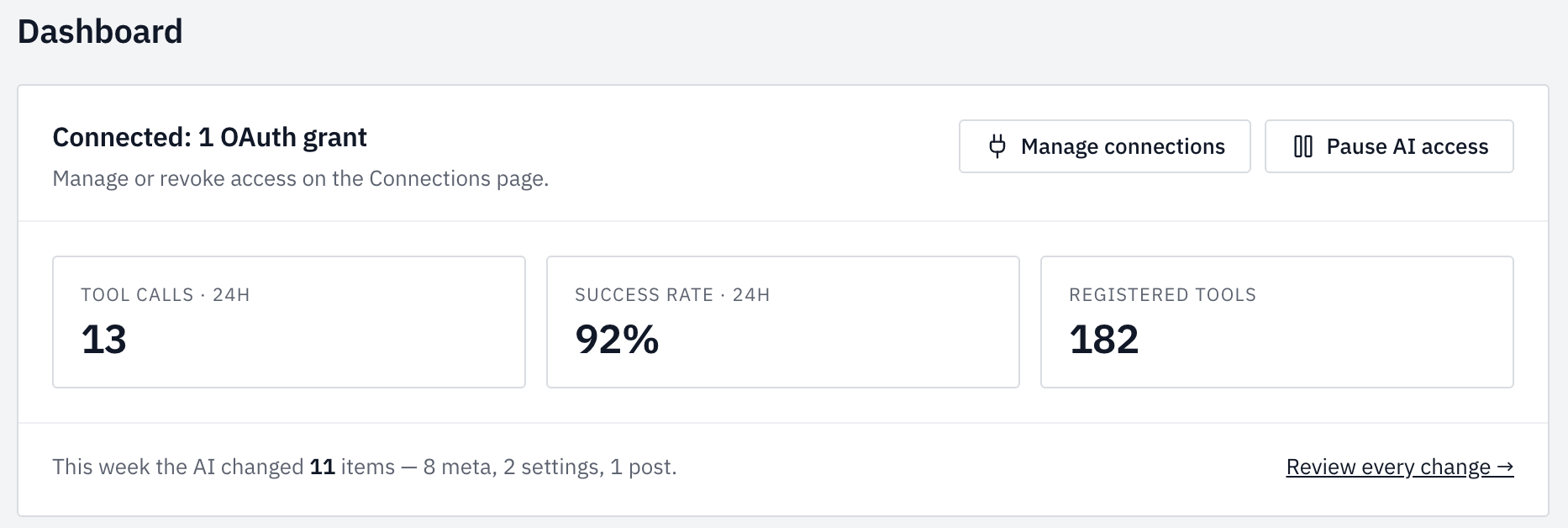
Then the real test. Reads — site info, post counts, SEO metadata, even a read-only list of my code snippets — came back instantly. A first small write (correcting an image’s alt text) landed cleanly. Then a deliberate probe: an attempt to write a Rank Math description was refused, because SEO-plugin writes are gated twice — once on the token, and again by a per-plugin toggle inside Easy MCP AI itself. I would normally count a surprise refusal against a tool, but this one earned points: the error message named the exact setting to flip (“Easy MCP AI → Tools → Plugins”), explained why, and listed which fields the post would accept. Thirty seconds later the write went through, and the change was live on the page. The audit log had recorded all of it — including the refusal, with full arguments. Total time from install to a verified AI edit on a live site: one sitting.
The same evening I went a step further and connected Google Search Console through the plugin’s External data tab: one Google service account, one JSON key upload, and six read-only GSC tools came alive. By the end of the night I could ask the AI for last week’s top search queries in plain English and get live Search Console data back — something I had been paying a third-party trial to do. One honest wrinkle from that process: an AI client that is already connected does not see newly enabled tools until it fully reconnects and re-authorises. The plugin’s own interface warns you about exactly this, but it still cost me a confused half-hour.
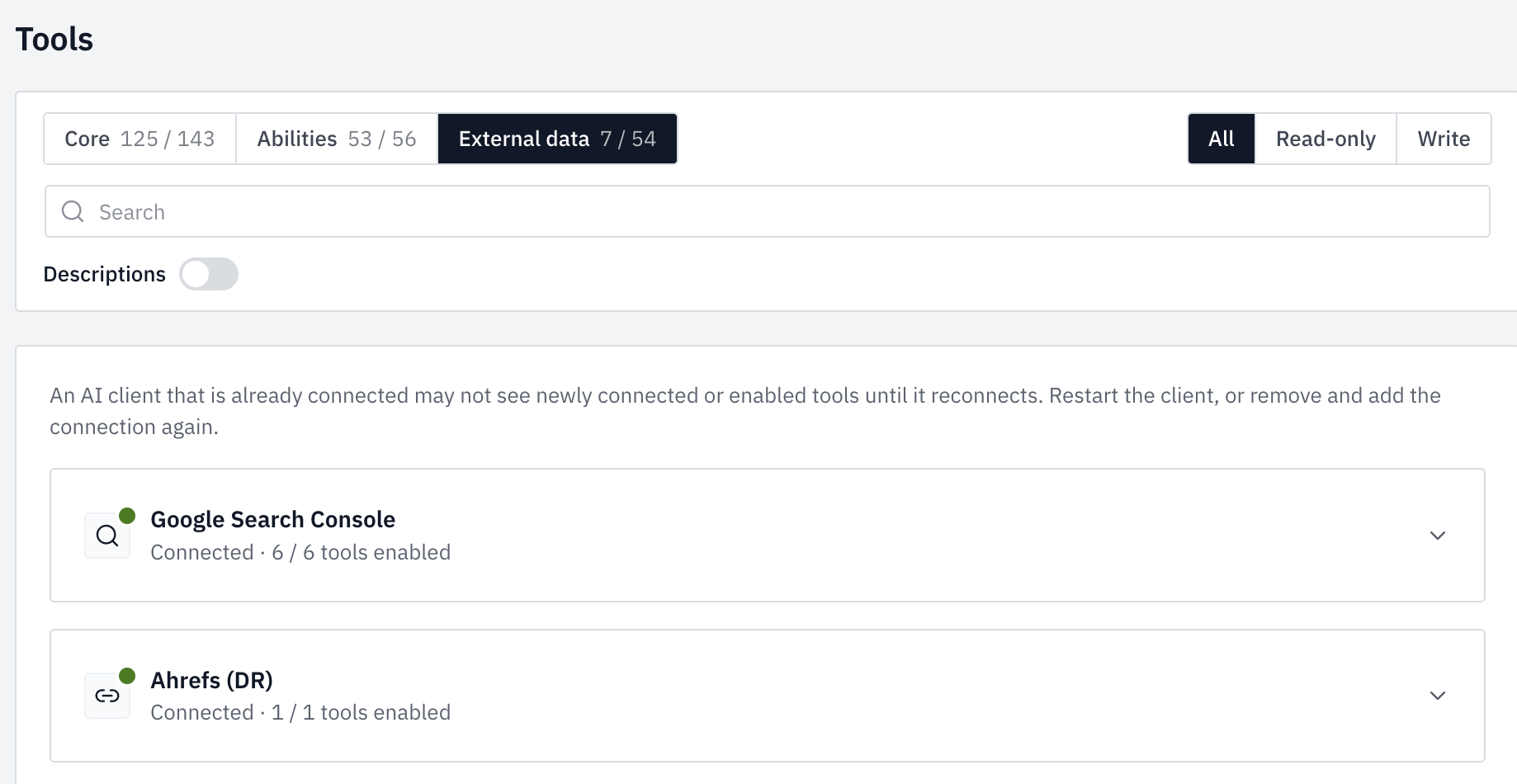
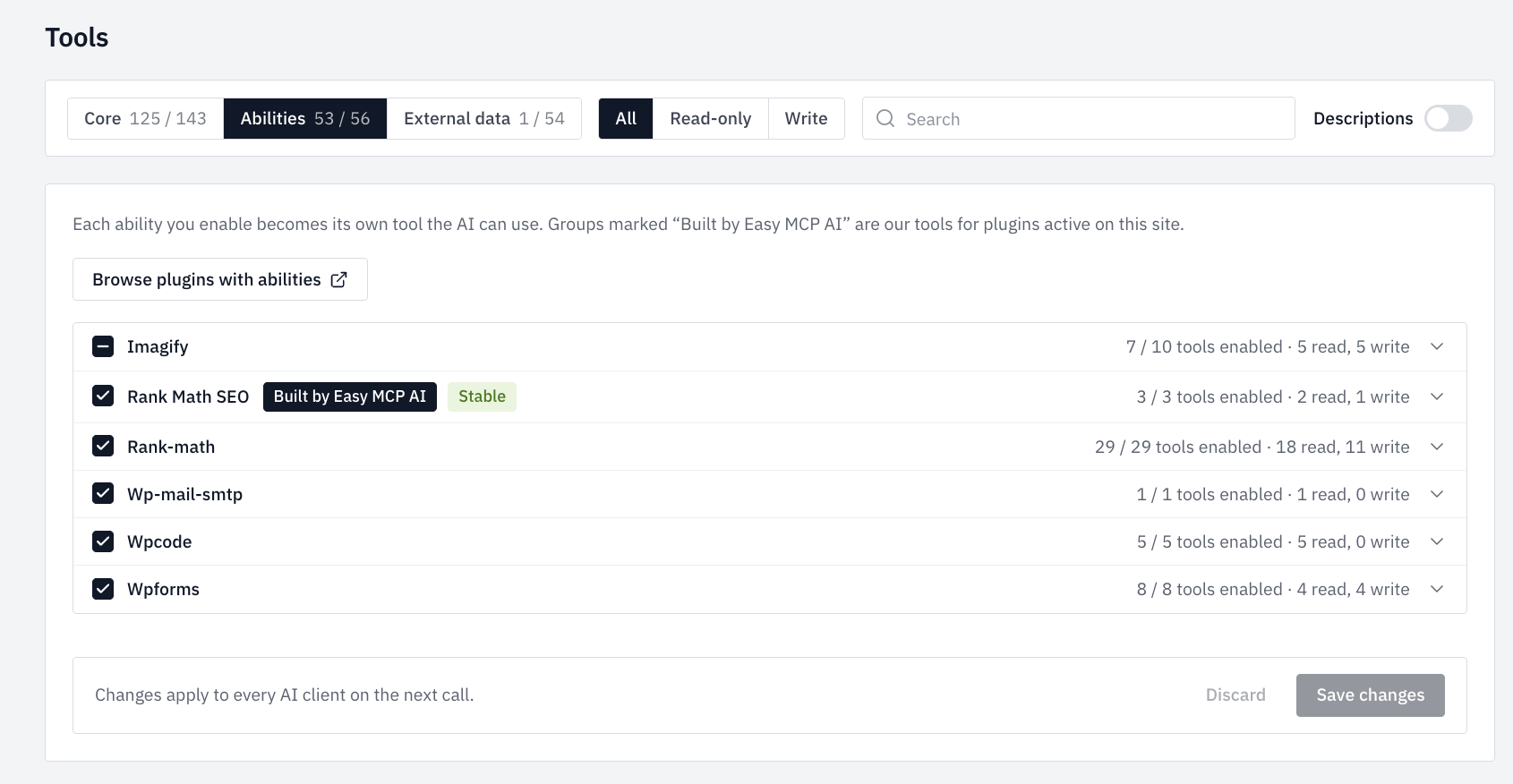
External data with Search Console and Ahrefs connected, and the per-plugin abilities screen — each plugin’s tools switch on individually.
Easy MCP AI Review: Pros & Cons
Easy MCP AI Pros
- Easy MCP AI took me from install to a verified AI edit on a live site in one sitting
- Genuinely granular permissions — separate read and write switches for every category
- Audit log records everything, including reads and refused calls, with rollback-able diffs
- Excellent refusals — blocked calls name the exact setting to change
- Direct Rank Math integration, verified live in my test
- Google Search Console and Ahrefs data free via a service account
- Free, no vendor account, no middleman service
Easy MCP AI Cons
- Easy MCP AI’s approval screen arrives with everything ticked and doesn’t explain that the riskiest tools are already disabled site-wide — confusing, not dangerous
- The double permission gate (token scope AND a per-plugin toggle) confused me once
- A connected AI client doesn’t see newly enabled tools until it fully reconnects
- Plugins without REST APIs stay out of reach
- Young plugin with a small review base — the security model hasn’t had years in the wild
What Are the Downsides of Easy MCP AI?
The honest framing is that the biggest risk is not the plugin — it is the idea. You are opening a write-capable door into your website for an AI. Easy MCP AI gives you the right controls for that (scoping, audit, kill switch), but its approval screen makes the access look broader than it is, and it cannot stop an administrator deliberately enabling more than they should. If you run a site that earns your living, as I do, set the scopes with the same paranoia you would give a new employee’s admin account: content yes, users and plugins no, and read the audit log for the first week.
The second limit is coverage. Anything that lives only in a plugin’s own admin screens — with no REST API behind it — is invisible to the AI. On this site that means my affiliate-link manager and code-snippets plugin still need hands-on work. Easy MCP AI covers the WordPress core and the big plugins well; it does not make every plugin AI-operable, and nothing could.
Is Easy MCP AI Good? My Verdict
Yes — Easy MCP AI is good. I scored it 8/10 in my WhatAITools review, after taking it from install to a verified AI edit on my live site in one sitting. It is free, with real permission granularity and an audit log that records even its own refusals. The caveats are a confusing approval screen and its youth — not the engineering.
I should be explicit about scope: this verdict is based on installation, setup and the first day of real use on this site. The AI that helps run WhatAITools now works through it daily, which means this review will keep testing itself — I will update it after a month of production use, and the score will move if reliability or security does not hold up. That is a promise I have kept on other reviews, and I will keep it here.
Every tool I review is signed up for and tested by hand. See how I test and score.
Easy MCP AI Score Breakdown
| Category | Score | Why |
|---|---|---|
| Output quality | 8.5/10 | Every scoped operation I tried worked and verified live; refusals were clear and correct. |
| Ease of use | 8/10 | One-sitting setup, one confusing double-gate moment, and an approval screen that makes access look broader than it is. |
| Features | 8.5/10 | Content, media, menus, comments, SEO-plugin writes, audit, history, kill switch — at £0. |
| Value for money | 9/10 | Free, no account, no middleman service; external API costs are optional and clearly separate. |
| Overall score | 8/10 | Excellent onboarding and controls; held back by a confusing approval screen and limited time in the wild. |
Frequently Asked Questions
Is Easy MCP AI legit?
Yes. Easy MCP AI is a free plugin in the official WordPress.org directory, developed by Themeisle, part of Vertigo Studio. Testing it on WhatAITools — my own live site — the security controls behaved exactly as configured: permissions I withheld never appeared as available tools, a gated write was refused with a clear explanation, and every call — including that refusal — appeared in the audit log. My one reservation is age: it is a young plugin, and I will update this review after longer production use.
Is Easy MCP AI free?
Yes — the plugin itself is free with no vendor account required. Optional integrations with third-party SEO data providers (DataForSEO, Semrush and similar) require paid API keys from those providers, and you need an MCP-capable AI assistant such as Claude or ChatGPT to connect to it.
Can Easy MCP AI delete things on my site?
Only if you let it. Deletion rights are separate switches per category — posts, media and comments each have their own — and user, plugin, theme and settings tools are disabled site-wide by default until an administrator turns them on. My advice from testing it on WhatAITools: leave all user write-and-delete permissions off, keep plugins, themes and settings read-only, and review the audit log while you build trust. There is also a master switch that cuts all AI access instantly.
Does Easy MCP AI work with ChatGPT as well as Claude?
The plugin supports any MCP-capable client and names Claude, ChatGPT and Cursor specifically. I tested it with Claude, where connection was a single paste-and-approve step; I have not yet tested the ChatGPT or Cursor paths myself.
More AI Tool Reviews

James is an SEO and content specialist with over 12 years’ experience, and tests AI tools so everyday people don’t have to. WhatAITools.co.uk covers honest, no-jargon reviews to help you find the right tool for your needs.
Leave a Reply