⚠️ Affiliate Disclosure: This post is not an affiliate associated review. It may become one in the future and this disclosure will reflect that. This does not affect my reviews and I only recommend tools I genuinely believe in.
This Udio review covers the AI music generator that was, until late 2025, Suno’s closest rival — and is now something stranger. Following copyright settlements with Universal Music Group and Warner Music Group, Udio switched off downloads entirely. You can still create music. You just cannot take it anywhere. We cover what Udio does well, what the licensing deals changed, what it costs, and whether it makes any sense to subscribe right now.
Udio Review
Udio launched in 2024 and quickly built a reputation for the best-sounding vocals in AI music. Where early Suno tracks could sound thin, Udio’s output had a warmth and mix quality that made people sit up. It won a loyal following among hobbyist producers and content creators.
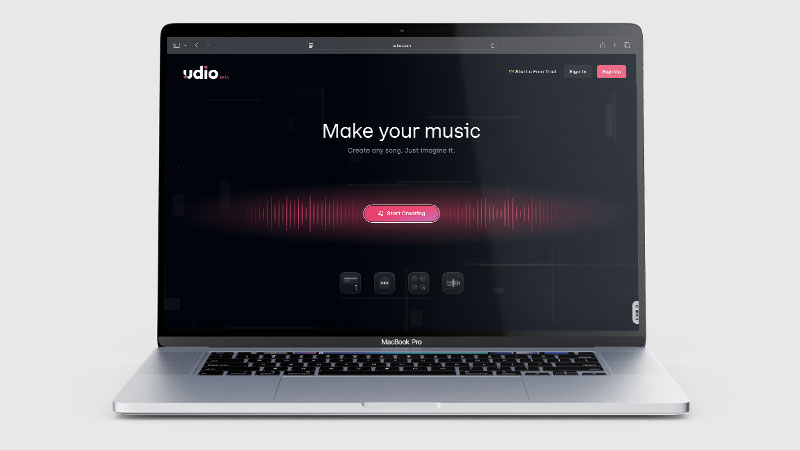
Then, on 29 October 2025, Udio settled Universal Music Group’s copyright lawsuit and announced a partnership to build a licensed AI music platform. Warner Music Group, Merlin and Kobalt deals followed. As part of that transition, Udio disabled audio downloads, video exports and stem downloads — including for tracks users had already made and paid to create.
That single change is the most important thing about Udio in 2026, and it is why this review reads differently from our other AI music reviews.
What is Udio?
Udio is a text-to-music generator. You describe the track you want — genre, mood, instrumentation, subject matter — and it produces a complete song with vocals, instrumentation and structure. You can write your own lyrics or let it generate them, and extend short clips into full-length arrangements.
Paid tiers add editing tools: voice control, lyric and music editing, audio-to-song, style references and custom cover art. The core creative loop is genuinely impressive and remains free to try.
The Download Problem: Read This First
Audio downloads, video exports and stem downloads are currently disabled. Udio operates as a walled garden: you can create, listen and share tracks inside the platform, but you cannot export a file.
This applied retroactively. Subscribers who had built libraries of tracks lost access to them as files overnight, which prompted a significant backlash and threats of legal action. Udio responded by opening a 48-hour download window in early November 2025 so users could rescue existing work. After that, the shutter came down.
Udio says exports will return once technical safeguards are in place under the new licensed platform. At the time of writing, no firm date has been announced.
What this means in practice: if you want music for a YouTube video, a podcast intro, a client project or anything that leaves your browser, Udio cannot currently do that job. Not slowly, not with a watermark — at all.
What Can You Do With Udio?
Udio’s feature list is strong, right up to the point where you want the file. The last bullet is the one that matters most.
- Generate a full song from a description — Udio produces vocals, instrumentation and structure from a prompt naming genre, mood and subject.
- Write the lyrics or let it write them — Udio takes your own words or generates its own.
- Extend a clip into a full track — Udio stretches a short generation into a complete arrangement.
- Control the vocal — Udio’s paid tiers add voice control over how the singer performs.
- Edit lyrics and music after the fact — Udio lets you revise a finished track rather than regenerating from scratch.
- Turn audio into a song — Udio’s audio-to-song feature builds a track around something you upload.
- Steer with style references — Udio can match the feel of a reference rather than relying on prose description alone.
- Generate cover art — Udio makes custom artwork for the track inside the same tool.
- What you cannot do is take it away — Udio removed downloads, exports and stems, so everything above stays inside Udio’s player.
Udio Pricing
| Plan | Price | Credits/month | What you get |
|---|---|---|---|
| Free | $0 | 100 | Core generation, standard quality, no card required |
| Standard | $10/mo | 2,400 | Higher audio quality, priority generation, editing tools |
| Pro | $30/mo | 6,000 | Highest limits, premium vocal models, mixing profiles |
A short generation of up to about 32 seconds costs roughly one credit; full-length tracks cost more. Monthly credits do not roll over — anything unused on your billing date is gone. Pay-as-you-go credits bought separately do not expire.
The free tier is the honest recommendation right now. Paying $10 or $30 a month for music you cannot export is difficult to justify unless you are creating purely for the pleasure of it.
Udio Review: Pros and Cons
Udio Pros
- Udio’s licensing deals with major labels are a genuine step forward for artist consent
- Mix and production quality hold up on decent speakers
- Free tier needs no card and is enough to judge the output
- Strong editing tools on paid plans: voice control, style references, audio-to-song
- Now licensed with UMG, Warner, Merlin and Kobalt — the legal cloud has lifted
- The coming platform should be the first major AI music tool artists opted into
Udio Cons
- No downloads, exports or stems — you cannot get your music out
- The restriction applied retroactively to tracks users had already paid to make
- No announced date for exports returning
- Paid plans are poor value while the walled garden stands
- Unusable for video, podcast or client work as things stand
- Credits expire monthly with no rollover
Who Is Udio For?
Right now, Udio suits people who enjoy making music for its own sake — experimenting with prompts, hearing ideas come to life, sharing tracks with others on the platform. If the creating is the point, it is one of the most enjoyable tools available and the free tier costs nothing.
It does not currently suit anyone who needs a finished audio file. Content creators, video editors, podcasters, game developers and small businesses making adverts all need an export, and Udio cannot provide one.
Key Use Cases
- Songwriting sketches — hearing an arrangement idea before committing to a real session
- Learning and experimentation — understanding how genre, tempo and instrumentation prompts change output
- Sharing within the community — Udio’s social features work well and tracks stream fine on-platform
- Evaluating the technology — if you want to hear how good AI vocals have become, this is the benchmark
What Are the Downsides of Udio?
The export restriction dominates everything else, but it is worth being clear about the wider uncertainty. The licensed platform has been announced for 2026 without a firm launch date. It is not yet public how the new model will handle commercial rights, whether existing libraries carry over, or what the pricing will look like when it arrives.
Under the announced arrangement, fan-made music stays within the Udio platform so that rights holders retain control and participating artists are compensated. That is a defensible model, and arguably a fairer one for musicians. It is simply a different product from the one most people signed up for.
How Does Udio Compare to Suno?
| Udio | Suno | |
|---|---|---|
| Vocal quality | Polished, but rushed against the beat in our test | Very good |
| Download your tracks | No — currently disabled | Yes |
| Commercial use | Not possible without export | Yes, on paid plans |
| Free tier | 100 credits/month | Yes, daily credits |
| Entry paid plan | $10/mo | $10/mo |
| Best for | Creating for its own sake | Music you actually need to use |
On produced polish the two are close, and many listeners preferred Udio. But in our own same-lyrics test Udio missed the style brief where Suno hit it — and either way the comparison is academic while one of the two cannot produce a file. If you need music for a project, read our Suno review instead.
We Tested Udio With the Same Lyrics as Suno and Nafy AI
In August 2026 we ran Udio through the same test we used in our Nafy AI vs Suno comparison: identical lyrics, identical style brief — a dance/soulful EDM track with a female vocal. We signed in with a Google account and generated two outputs.
Udio ignored the brief. Both takes came back as a weak pop song verging on R&B — nothing like the style we asked for, and nothing like what Suno and Nafy AI produced from the same input. The vocals sounded rushed and out of step with the beat and flow of the song, and we could not find a way to switch the vocal to female.
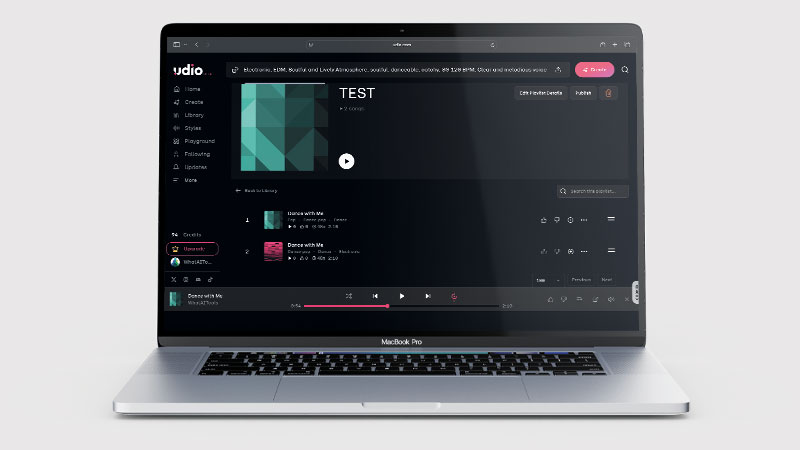
One detail says it all: because Udio has no downloads or exports, the only way to keep evidence of our own test track was to record it from the speakers with a microphone.
Is Udio Good? Our Verdict
No — we scored Udio 4/10. In our same-lyrics test, with the identical lyrics and style brief we gave Suno and Nafy AI, Udio produced a weak pop track verging on R&B instead of the dance/soulful EDM we asked for, with rushed vocals that fought the beat. Add the removed downloads, exports and stems — including for tracks users had already paid to create — and there is no version of this we can recommend today.
Udio’s licensing deals with Universal, Warner, Merlin and Kobalt may well make it the most ethically solid platform in the category once the new version arrives. Artists opting in and being paid for both training and output is a genuine step forward.
But a music tool you cannot export from is not a music tool for most people. Removing downloads retroactively, from paying subscribers, was a hard thing to do to a user base that had done nothing wrong, and the 48-hour rescue window did not undo it.
Udio Review Rating: 4/10
Every tool we review is signed up for and tested by hand. See how we test and score.
Best for: Hobbyists and curious experimenters who want to hear how good AI music has become, using the free tier.
Not ideal for: Anyone who needs a finished audio file — creators, podcasters, video editors, businesses. Use Suno for that today.
Our score reflects the tool as it stands in August 2026. If exports return with sensible commercial terms, this review gets rewritten and the score will move — probably a long way up.
Udio Score Breakdown
| Output quality | 5/10 | Ignored our style brief in the same-lyrics test, with rushed vocals that fought the beat |
| Ease of use | 6.5/10 | Straightforward to drive, but we could not switch the vocal to female — and you cannot keep the result |
| Features | 4/10 | No downloads, no exports, no stems — the output stays inside Udio |
| Value for money | 3/10 | Paying for music you cannot take away, including tracks already made and paid for |
| Overall score | 4/10 | Missed our test brief, and the walled garden means you could not keep the result anyway |
Frequently Asked Questions
Is Udio worth it?
Not while downloads are disabled. In our own same-lyrics test Udio missed the style brief with rushed vocals, and you cannot export, download or split stems, so paid plans buy you tracks you can only play inside Udio. Until exports return, Suno is the sensible choice.
Can you download songs from Udio?
No. Audio downloads, video exports and stem downloads are currently disabled following Udio’s settlements with Universal Music Group and Warner Music Group. You can create and stream tracks on the platform but cannot export files. Udio has said exports will return once safeguards are in place, but no date has been announced.
Is Udio free to use?
Yes. The free plan gives you 100 credits a month with no credit card required, which is enough to generate a reasonable number of short tracks and judge the quality. Paid plans are $10 and $30 a month.
Can I use Udio music commercially?
Not in any practical sense while downloads are disabled — you cannot get a file to use. Commercial terms for the new licensed platform have not been published. If you need music you can license and use commercially today, Suno is the more realistic option.
What happened between Udio and Universal Music Group?
UMG sued Udio for copyright infringement over training data. On 29 October 2025 the two settled and announced a partnership to build a licensed AI music platform, launching in 2026 and trained on authorised music from artists who opt in. Warner Music Group, Merlin and Kobalt agreements followed.
Alternatives to Udio
Suno — The most complete AI music generator right now, and the obvious choice if you need tracks you can actually download and use. See our Suno review.
Mozart AI — An AI DAW that acts more like a co-producer than a one-shot generator, aimed at people who want to shape a track rather than accept what they are given. See our Mozart AI review.
ElevenLabs — Not a music generator, but if what you actually need is narration, voiceover or sound design rather than songs, it is the stronger tool. See our ElevenLabs review.
More from WhatAITools: Suno review, Mozart AI review and ElevenLabs review.

James is an SEO and content specialist with over 12 years’ experience, and tests AI tools so everyday people don’t have to. WhatAITools.co.uk covers honest, no-jargon reviews to help you find the right tool for your needs.
Leave a Reply