⚠️ Affiliate Disclosure: This post is not an affiliate associated review. It may become one in the future and this disclosure will reflect that. This does not affect my reviews and I only recommend tools I genuinely believe in.
Sudowrite Review
This Sudowrite review covers the AI writing tool built specifically for fiction writers. I tested it across different stages of the writing process to give you an honest picture of what it can and can’t do.
Sudowrite is an AI writing tool built specifically for fiction writers — not bloggers, not marketers, not business users. If you write novels, short stories, or screenplays, it’s one of the most genuinely useful AI tools available. If you don’t, there’s nothing here for you. This review is for the fiction writers.
What is Sudowrite?
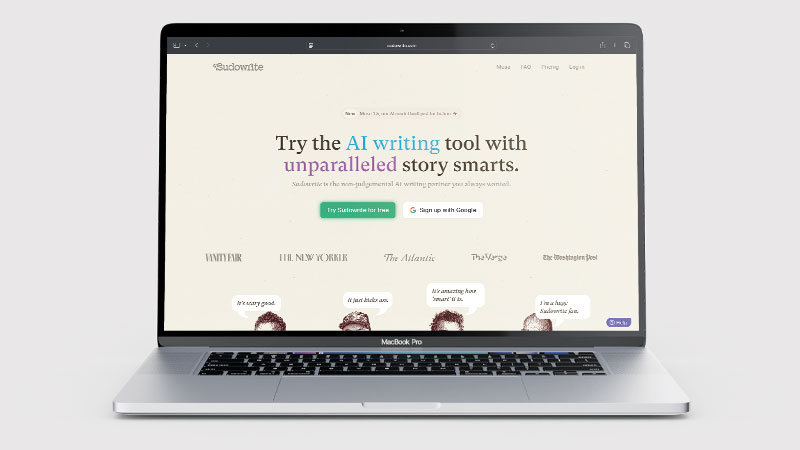
Sudowrite is an AI writing assistant designed exclusively for creative and fiction writing. It was built by writers for writers, and it shows — the tools are focused on prose craft, storytelling, and narrative development rather than productivity or content marketing.
Its standout feature is Muse, Sudowrite’s own AI model built for fiction rather than general internet text. Sudowrite now also has a second fiction model, Ballad, and gives you access to 30+ other models. This makes a noticeable difference: Muse understands scene pacing, dialogue rhythm, and narrative tension in ways that general AI tools like ChatGPT don’t. The result is fiction output that feels more like something a writer would produce and less like something generated by a search engine.
What Can You Do With Sudowrite?
- Plan a novel with Story Engine — Sudowrite guides you from premise to outline to draft.
- Expand a scene with Describe — adds sensory detail when you know what happens but can’t find the words.
- Try different styles with Rewrite — gives you multiple style variations of a passage so you can pick the tone that fits.
- Tighten with Shrink Ray — condenses long passages without losing the essential meaning.
- Get unstuck — Sudowrite can write ahead from where you are and suggest what happens next in a scene.
- Develop characters — help building characters and backstory.
Sudowrite Pricing
Sudowrite uses a credit-based pricing model. All plans include the same features — the difference is how many credits (words) you get per month. Sudowrite charges in US dollars and doesn’t show UK prices, so your bank converts the cost:
| Plan | Monthly | Billed yearly | Credits/month |
|---|---|---|---|
| Hobby & Student | $19/month | $10/month | 225,000 |
| Professional | $29/month | $22/month | 450,000 monthly, or 1,000,000 billed yearly |
| Max | $59/month | $44/month | 2,000,000 |
A free trial is available with around 10,000 credits — no credit card required. There is no ongoing free plan. If you pay and decide Sudowrite isn’t for you, Sudowrite says it will refund you if you tell it within the first 7 days. Most casual fiction writers will find the Hobby plan sufficient; the Professional plan suits those working on longer novels or multiple projects at once. I checked these prices on sudowrite.com on 22 October 2026.
Sudowrite Review: Pros and Cons
Sudowrite Pros
- Sudowrite’s Muse model is built for fiction — output sounds like real prose
- Tools built specifically for fiction craft (Story Engine, Describe, Rewrite)
- Free trial with no credit card required
- 7-day refund if you pay and change your mind
- Credit system is transparent — no surprise usage charges
- Genuinely useful for overcoming writer’s block
Sudowrite Cons
- Sudowrite is only useful for fiction writers
- No free ongoing plan after the trial
- Exports to Word (.docx) only — no EPUB or PDF
- Priced in US dollars only — no UK pricing
- No non-fiction or blogging templates
Who Is Sudowrite For?
Sudowrite is designed for fiction writers, novelists, and creative writing enthusiasts who want AI assistance with drafting, expanding, and unblocking their stories. If you are working on a novel or short story and regularly hit walls with description, dialogue, or plot momentum, it gives you useful creative input without taking over the narrative. It is less suited to non-fiction writers or those who want AI to generate complete drafts with minimal human involvement.
Key Use Cases
Overcoming writer’s block. When you know roughly what should happen next but can’t find the words, Sudowrite’s ‘Write’ feature generates a continuation of your story that you can edit, accept, or use as a prompt to write your own version. It’s one of the most practical uses of AI for fiction writers.
Improving descriptive prose. The Describe tool takes a moment, character, or setting and expands it using sensory detail. It’s particularly good at adding texture to scenes that feel thin on the page — something many writers struggle with in first drafts.
Developing a novel outline. The Story Engine guides you through premise, character development, plot structure, and chapter-by-chapter planning. For writers who struggle with structure, it’s a useful scaffold to work within.
Style experimentation. The Rewrite tool generates multiple versions of a passage in different styles or tones. Useful when a scene is technically correct but not quite landing the way you intended.
What Are the Downsides of Sudowrite?
Export is basic. Sudowrite exports to Word (.docx) — one document at a time, or a whole project as a single merged file — but not to EPUB or PDF, and your Story Bible isn’t included. For formatting and publishing you’ll still need another tool.
Fiction only. If you write non-fiction, blog posts, or business content, Sudowrite has nothing for you. It’s a specialist tool for a specific kind of writer.
It’s priced in US dollars. There’s no UK pricing, so the cost moves with the exchange rate and your card may add a foreign transaction fee. The 7-day refund takes some of the risk out of paying.
Credits can run out faster than expected. Depending on which features you use and how heavily, 225,000 credits can go quickly. Writers working on long novels may find themselves needing the Professional plan sooner than anticipated.
How Does Sudowrite Compare to ChatGPT for Fiction?
You can absolutely use ChatGPT or Claude for fiction writing — and many writers do. The difference is that Sudowrite is purpose-built for it. The Muse model produces prose that sounds more like published fiction and less like generated text. The tools (Story Engine, Describe, Rewrite) are designed around a writer’s actual workflow rather than adapted from general AI features.
For casual fiction writing or experimentation, ChatGPT is free and capable. For serious fiction writers who want tools designed around their craft, Sudowrite justifies its cost.
👉 See my full Novelcrafter vs Sudowrite comparison →
| Feature | Sudowrite | ChatGPT |
|---|---|---|
| Fiction focus | ✅ Built for fiction | ❌ General purpose |
| Prose expansion | ⭐ Excellent | Basic |
| Sensory descriptions | ✅ Standout feature (Describe) | With prompting |
| Story Bible / outline | ✅ Story Bible and Story Engine | With prompting |
| Pricing | From $10/month billed yearly ($19 monthly) | Free, or Plus at £20/month |
| Best for | Serious fiction writers | General writing & brainstorming |
Is Sudowrite Good? My Verdict
Yes, for fiction — I scored Sudowrite 8/10 in my WhatAITools review. The Muse model writes noticeably better prose than general-purpose AI, and the toolkit targets exactly where novelists get stuck. Plans start at $10 a month billed yearly ($19 monthly), there is no free plan after the trial, and it is no use for anything but fiction.
Sudowrite is the best AI tool available for fiction writers, and it isn’t particularly close. The Muse model produces better prose than general AI tools, the fiction-specific toolkit covers the parts of the writing process where writers actually get stuck, and the free trial lets you test it properly before committing. Export is limited to Word files, which is an annoyance, but not a dealbreaker for most writers.
Best for: Fiction writers — novelists, short story writers, and anyone working on creative narrative content.
Not ideal for: Non-fiction writers, bloggers, or anyone who needs business or marketing content.
Sudowrite Score Breakdown
| Output quality | 9/10 | The Muse model writes better prose than general-purpose AI, by a clear margin |
| Ease of use | 8.5/10 | The fiction toolkit maps onto where writers actually get stuck |
| Features | 8/10 | Excellent for fiction, useless for anything else; export is Word (.docx) only |
| Value for money | 7/10 | No ongoing free plan after the trial, and priced in US dollars only |
| Overall score | 8/10 | The best AI tool for fiction writers, and not close — but only for fiction |
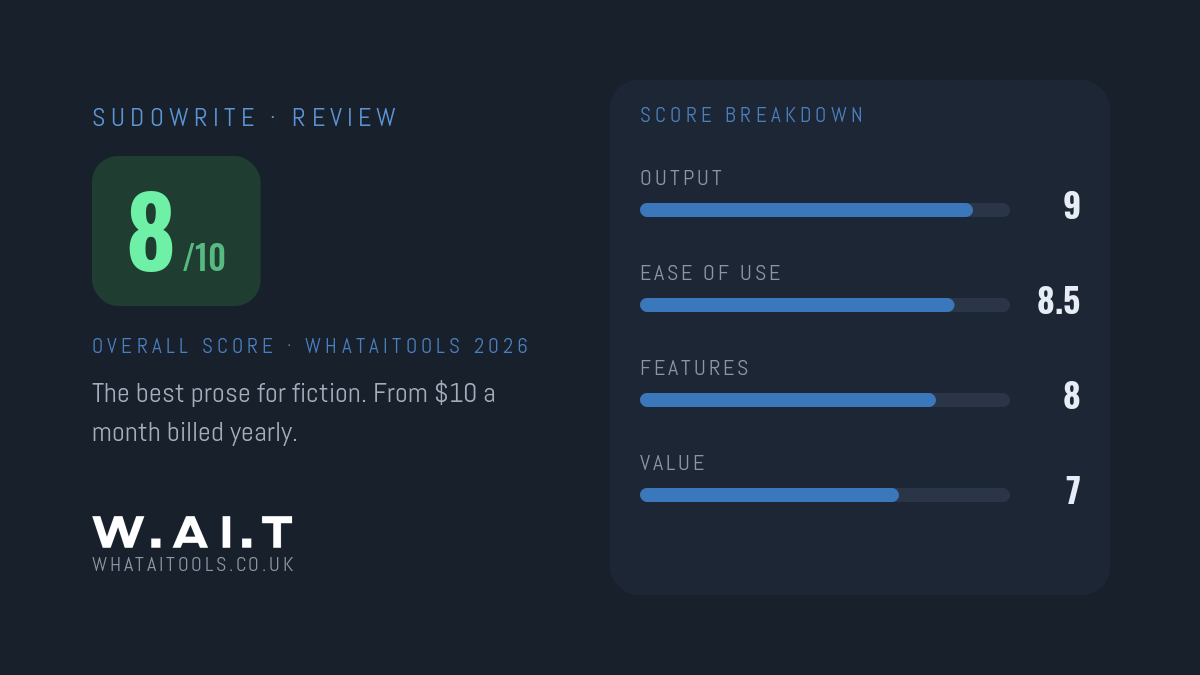
Sudowrite Review Rating: 8/10
Frequently Asked Questions
Is Sudowrite worth it?
For novelists, yes — I scored Sudowrite 8/10 on WhatAITools. It writes noticeably better prose than general AI tools, and the toolkit targets where fiction writers actually get stuck. It costs $10 a month billed yearly or $19 monthly, with no free plan after the trial, so use the trial credits properly first. If you pay and change your mind, Sudowrite offers a refund within 7 days.
Is Sudowrite free?
Sudowrite offers a free trial with around 10,000 credits — no credit card required. There is no ongoing free plan. After the trial, plans start at $10 a month billed yearly, or $19 monthly; Sudowrite charges in US dollars.
Is Sudowrite good for beginners?
Yes — particularly for fiction beginners who struggle with descriptive writing or structure. The Story Engine provides useful scaffolding, and the Describe tool helps writers add detail and texture they might otherwise leave out.
What is Sudowrite’s Muse model?
Muse is Sudowrite’s own AI model, built specifically for fiction. Sudowrite says it handles narrative pacing, dialogue rhythm and scene structure better than general models trained on broad internet text, which produces more natural-sounding fiction. Sudowrite now also offers a second fiction model, Ballad, plus 30+ other models.
Can Sudowrite write a whole novel for you?
Sudowrite can help with every stage of novel writing — outlining, drafting, expanding, and rewriting — but it works best as a collaborative tool rather than a replacement for the writer. The output needs editing and direction. Think of it as a very capable writing partner, not a ghostwriter.
Does Sudowrite work for screenwriting?
Sudowrite can help with screenplay dialogue and scene development, but it doesn’t format scripts in standard screenplay format. For dedicated screenwriting tools, something like Final Draft or Highland would be better suited.
Sudowrite Alternatives Worth Considering
Sudowrite is purpose-built for fiction writers, but depending on what you need, one of these alternatives might be worth exploring:
📖 Novelcrafter
Best if you want the most powerful full novel management system — with a Codex for worldbuilding, scene planning, and flexible AI model support.
✅ Grammarly
Best if you want an editing and proofreading assistant to polish your prose rather than a tool that generates new fiction content.
✍️ Writesonic
Best if you need an AI writing tool for broader content types — blog posts, marketing copy, and web content beyond fiction writing.
Every tool I review is signed up for and tested by hand. See how I test and score.

James is an SEO and content specialist with over 12 years’ experience, and tests AI tools so everyday people don’t have to. WhatAITools.co.uk covers honest, no-jargon reviews to help you find the right tool for your needs.
Leave a Reply