⚠️ Affiliate Disclosure: This post is not an affiliate associated review. It may become one in the future and this disclosure will reflect that. This does not affect my reviews and I only recommend tools I genuinely believe in.
Stable Diffusion Review
This Stable Diffusion review is about what happens when an ordinary person tries to use it. I went to Stability AI, the company that makes Stable Diffusion, to sign up and generate an image. What I found was broken links, a 404 page and no public prices. When I finally reached a working demo, the image it made was very basic next to the other tools I have tested with the same prompt.
Stable Diffusion has a big reputation: open, free and endlessly customisable. That reputation was built by people who install it on their own computers. If you are not technical and you go to the official website to try it, the experience is very different. I spent most of my test trying to find the image tool, and when I found it, the result did not justify the effort.
What Is Stable Diffusion?
Stable Diffusion is a family of open AI image models made by Stability AI. It is not a single app. Anyone can download the models and run them, which is why Stable Diffusion appears inside many other image tools. The current open generation is Stable Diffusion 3.5, which comes in Large, Large Turbo (a faster 8-billion-parameter version, and the one I tested) and Medium sizes. Stability AI also makes audio, video and 3D models, including Stable Audio.
What Can You Do With Stable Diffusion?
- Generate images from text — Stable Diffusion 3.5 turns a written prompt into an image, in Large, Large Turbo and Medium sizes.
- Try it free in your browser — Stability AI’s free Hugging Face demo runs Stable Diffusion 3.5 Large Turbo, the version I tested.
- Run it on your own computer — download the models for no subscription, no usage limits and private prompts, if you have a capable graphics card (Stability AI quotes about 9.9GB of video memory for 3.5 Medium). I have not tested this route.
- Use it commercially for free — Stability AI’s Community License covers individuals and organisations earning under $1 million a year, including commercial use, and you own the images.
- Find it inside other tools — because the models are open, Stable Diffusion powers many other AI image tools.
- Try Stability AI’s other models — the company also makes audio (Stable Audio), video and 3D models.
What Happened When I Tested Stable Diffusion?
I tried Stable Diffusion the way most people would: I went to stability.ai to sign up and make an image. Here is what happened.
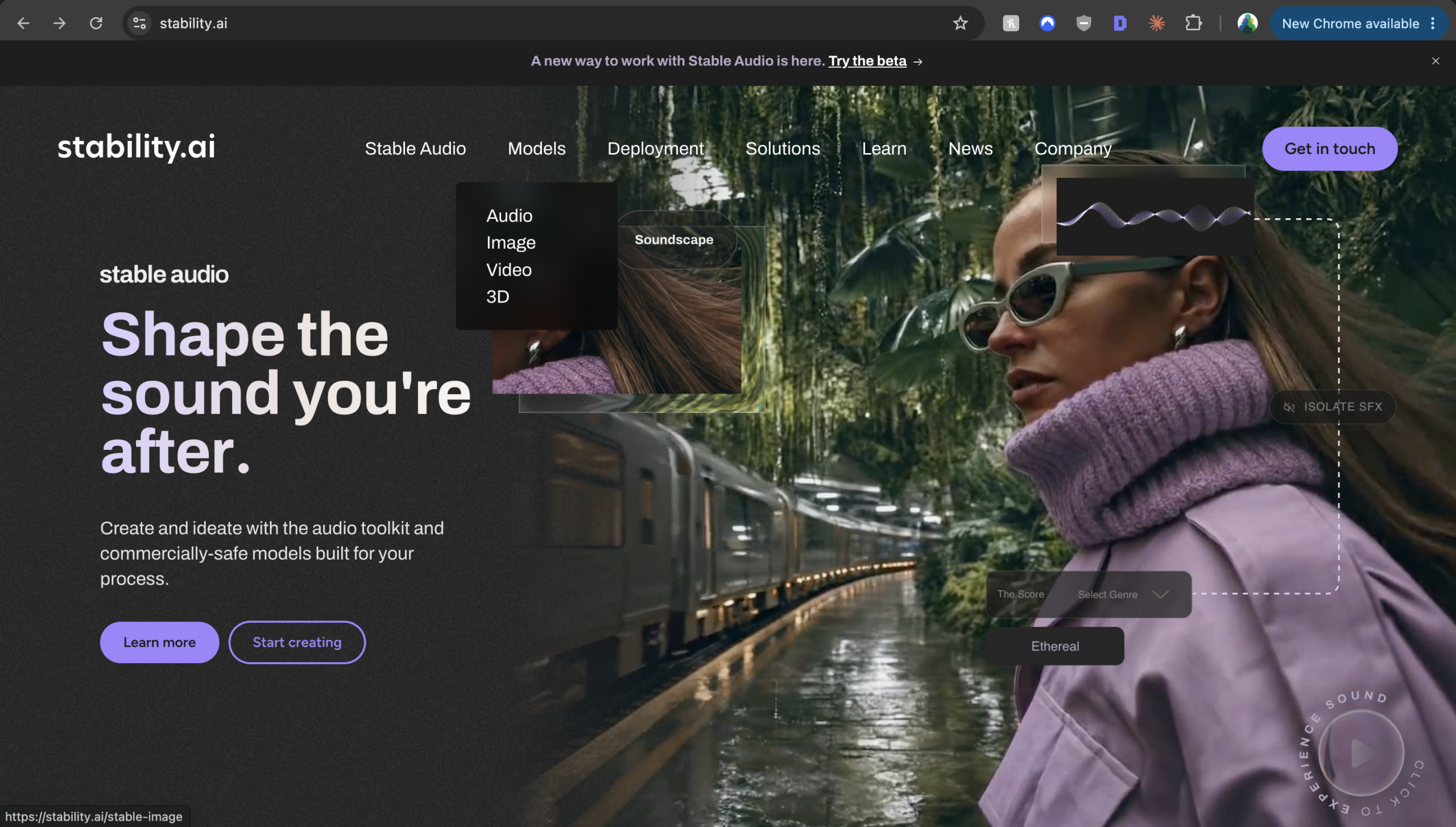
- On Stability AI’s site I chose Image, then clicked Start creating.
- The next page said “Stable Diffusion 3.5, our most powerful image model yet” with another Start creating button. I clicked it.
- That button took me to a domain customisation page about training custom models with Stability AI’s team. That is an enterprise service, not an image tool.
- A Let’s build together button led to a form to register interest in Stability AI. I filled it in.
- An Explore Brand Studio for free link went to a 404 error page. Dead end.
- There were no prices anywhere. The site asks you to get in touch for pricing. At the time of writing, nobody from Stability AI has contacted me.
- A “membership” email arrived, but its images would not load until I forced them. Its Get started link went to Stability AI’s page on Hugging Face, a separate site that hosts AI models.
- On Hugging Face I found a free Stable Diffusion 3.5 Large Turbo demo and finally generated an image.
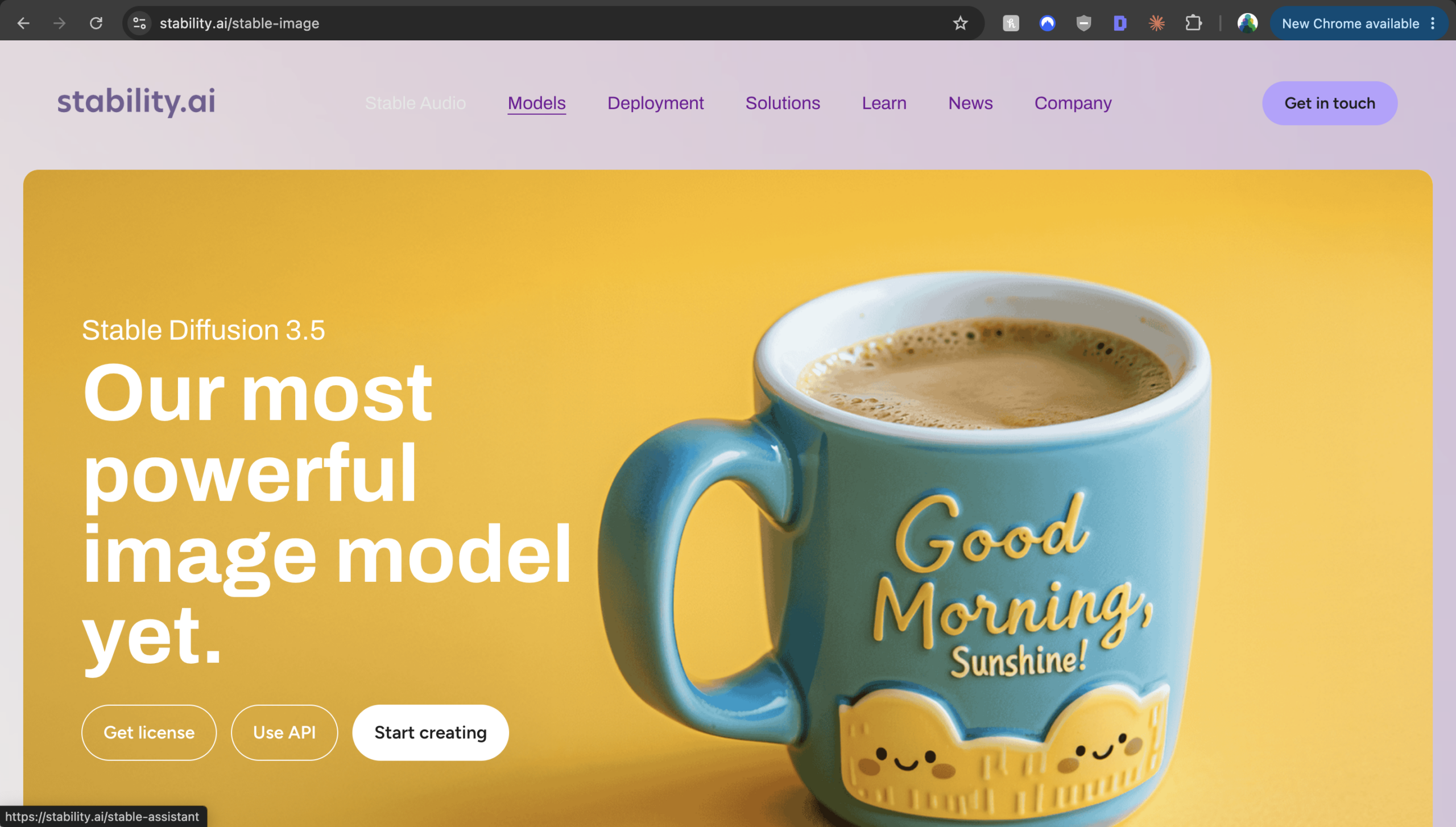
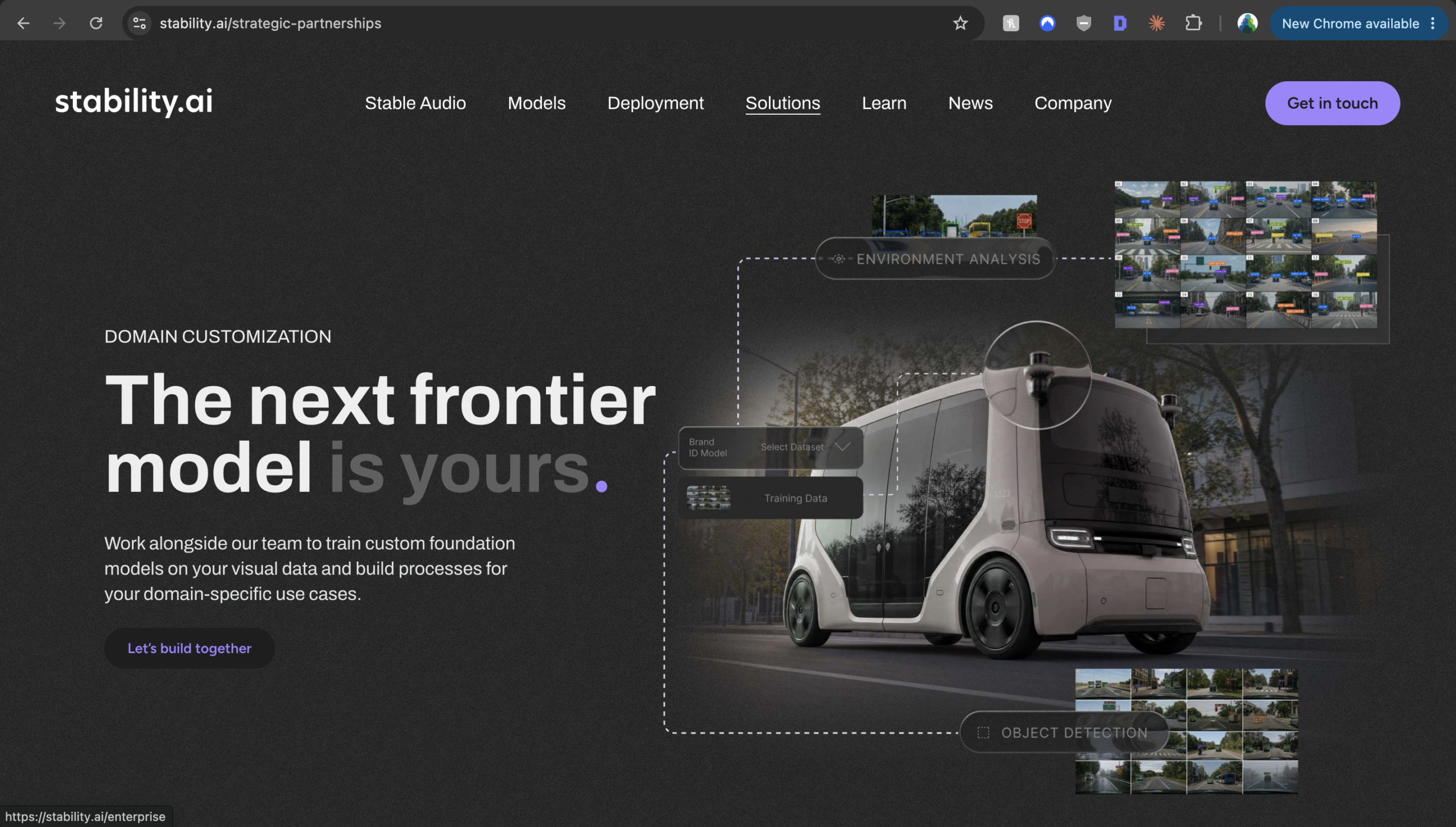
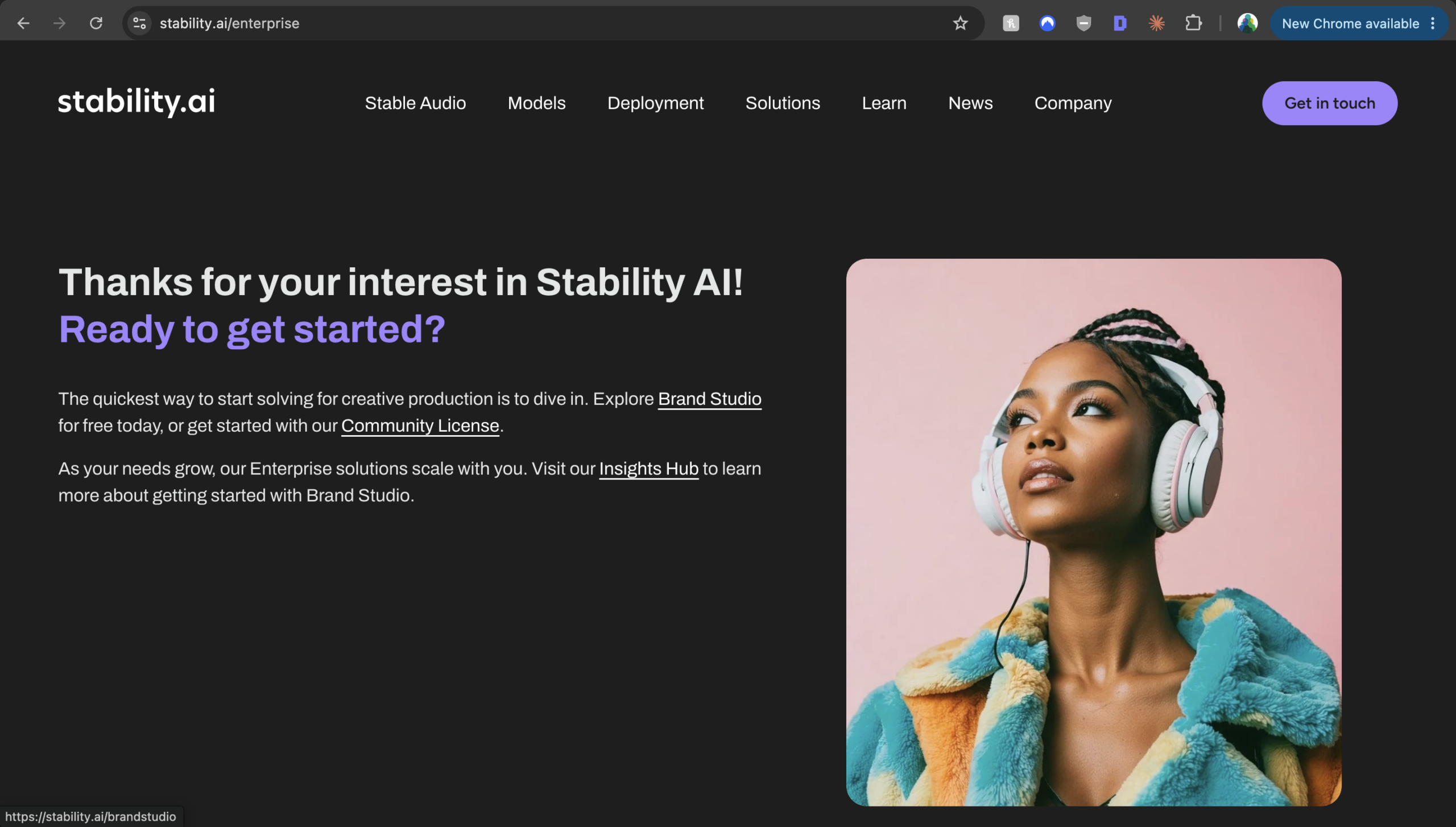
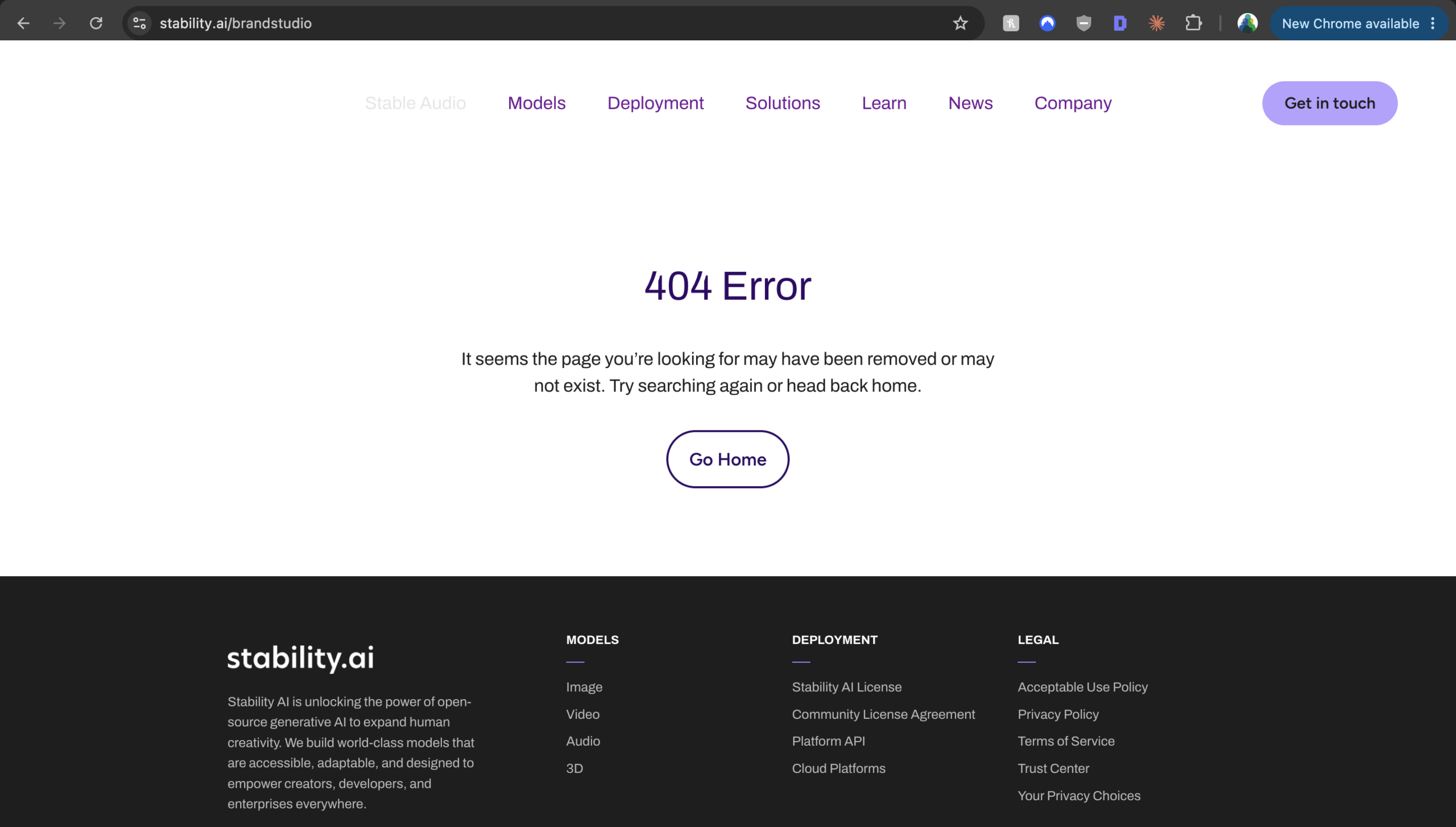
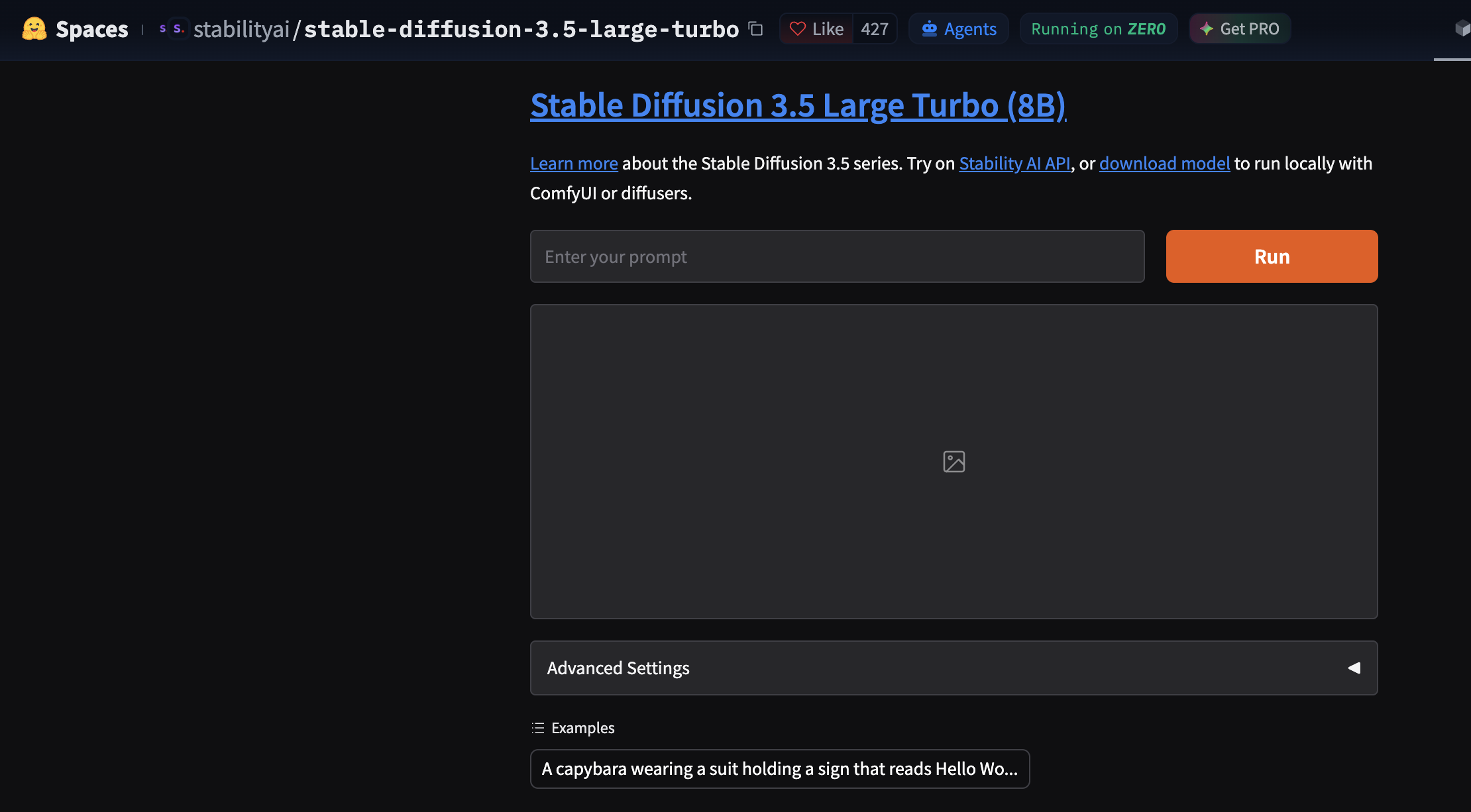
Every link I followed stayed on Stability AI’s own website until the Hugging Face step, so this was not a third-party site getting things wrong. The official route to Stable Diffusion’s image tool was broken when I tested it.
I Also Tried Stable Audio
Stability AI’s Stable Audio link did work. I signed in with Google and typed a prompt for a piece of music. The result was terrible, well below the AI music tools I have reviewed, such as Suno.
Stable Diffusion vs Other AI Image Tools: Same Prompt Test
I gave Stable Diffusion 3.5 Large Turbo, on the demo’s default settings, the same prompt I have used on other image tools:
“An 80s synthwave/outrun digital art scene with a neon pink, cyan, and purple gradient sky, a glowing geometric sun low on the horizon, a wireframe perspective grid extending to a vanishing point, chrome reflections, palm tree silhouettes, and a retro-future aesthetic inspired by Drive and Blade Runner, VHS scan lines”.

ChatGPT produced a detailed, finished-looking scene: a striped sun over a neon grid road, palm trees, a chrome sports car with glowing tail lights, a city skyline reflected in water and visible scan lines. It hit almost every part of the prompt and added extra detail of its own.

Google’s AI image tool followed the prompt most literally: a wireframe geometric sun, a neon grid road running to a vanishing point, rows of palm trees, a sports car and a neon-lit skyline under a pink and cyan sky. It added a VHS-style “JUL 1987” date stamp and scan lines, which suit the brief well. Google’s was my favourite of the five.

Grok went for a flat, poster-style take: a striped sun over a wireframe grid, wireframe palm trees and hills, and cyan streaks across a pink and purple sky. It is clean and stylish, but it left out the chrome reflections and the Drive and Blade Runner feel.

ElevenLabs (using OpenAI’s GPT Image 2.5 model) made the most cinematic version: a chrome sports car on a wet neon road, a striped sun, palm trees and a skyline with a giant billboard face and Japanese neon signs, all inside a VHS frame with a “PLAY” marker and a 1984 timestamp. It caught the Blade Runner side of the brief better than any other tool, though the road replaced most of the wireframe grid. It was very similar to ChatGPT’s image, which makes sense: both come from OpenAI’s image models.

Stable Diffusion 3.5 Large Turbo produced something very basic by comparison. It got the essentials: a big pale-yellow sun, palm trees, blue mountains, a reflective grid floor and faint horizontal lines across a pink sky. But the sun is a plain disc rather than a glowing geometric one, there are no chrome reflections, no city and nothing that suggests Drive or Blade Runner. It looks like a generic desktop wallpaper rather than the scene I described. Every other tool I tried outperformed Stable Diffusion on this prompt.
Stable Diffusion Pricing
Stability AI does not show prices for its own tools on its website. When I tested it, the site asked me to get in touch for pricing, and I had not heard back. The Hugging Face demo I used was free.
The models themselves are free under Stability AI’s Community License for individuals and organisations earning under USD $1 million a year, including commercial use, and you own the images you make. Above that you need an Enterprise License, which is custom-priced. Free models only help you if you can run them yourself, though, and that is the route I did not test.
What About Installing Stable Diffusion Yourself?
Installing Stable Diffusion on your own computer is how most enthusiasts use it: no subscription, no usage limits, and your prompts and images stay on your machine. I have not tested this route, so I am not scoring it. Be aware that it needs a capable graphics card and time to set up. Stability AI quotes about 9.9GB of video memory for full performance from Stable Diffusion 3.5 Medium, and the Large model needs more. If you are comfortable with that, your experience will be very different from mine.
Stable Diffusion Review: Pros & Cons
Stable Diffusion Pros
- Stable Diffusion’s models are free to use, including commercially, if you earn under USD $1M a year
- You own the images you generate
- A free demo on Hugging Face lets you try it without installing anything
- Can be installed on your own computer for private, unlimited use (I did not test this)
Stable Diffusion Cons
- Stable Diffusion’s official sign-up route was broken when I tested it: wrong pages and a 404
- No prices on Stability AI’s website, only “get in touch”
- The image I generated was very basic next to ChatGPT’s and Google’s
- Stable Audio, from the same company, produced terrible music in my test
- Too many routes in, and the official one is the hardest to follow
Who Is Stable Diffusion For?
Stable Diffusion is for people who will install it themselves and enjoy tinkering with models, settings and add-ons. It is not for someone who wants to visit a website, sign up and make a good image. For that, ChatGPT, Midjourney or Canva will get you a better result in a fraction of the time.
What Are the Downsides of Stable Diffusion?
The official route does not work. I followed Stability AI’s own buttons and ended up on an enterprise page, an interest form and a 404. A new user would reasonably give up at that point, and I nearly did.
The output did not justify the effort. Once I reached the Hugging Face demo, the image was very basic next to what ChatGPT and Google produced from the same prompt in one step.
No prices. Without public pricing you cannot judge whether the paid tools are worth it, and after registering I had heard nothing back.
Is Stable Diffusion Good? My Verdict
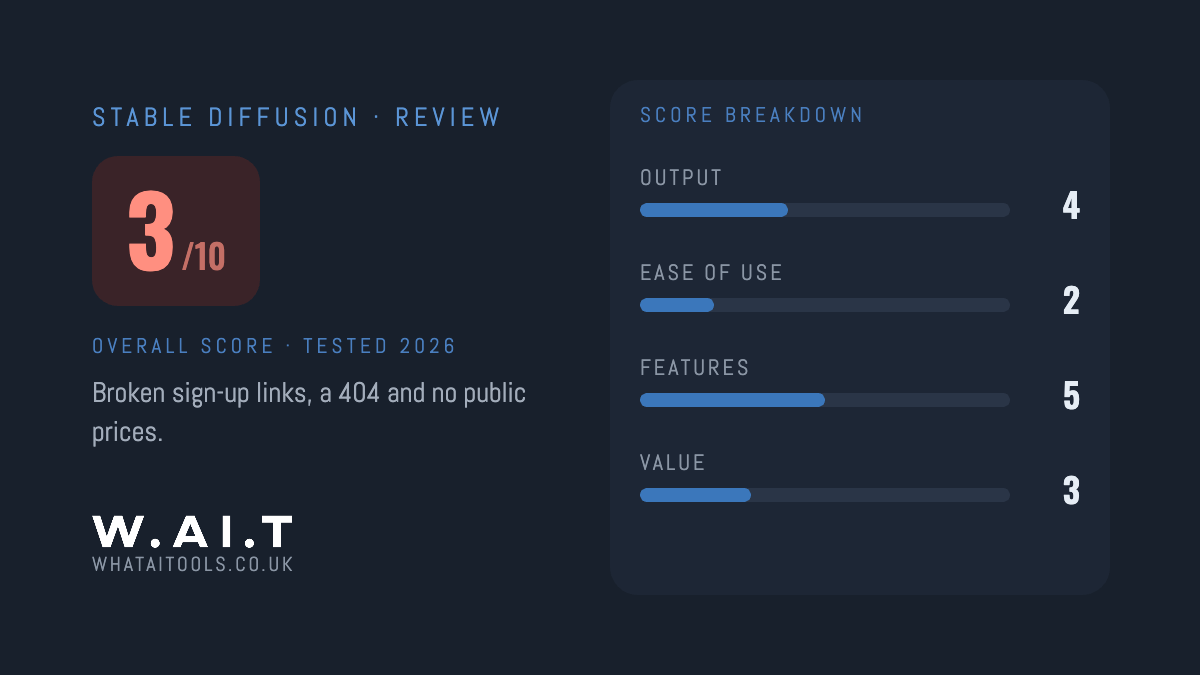
No, not for most people right now. I scored Stable Diffusion 3/10 in my WhatAITools review, after Stability AI’s own sign-up route sent me to the wrong pages and a 404, and the free demo I eventually found produced a very basic image. The models are free and openly licensed, but that only helps if you install them yourself.
If you want good AI images without setup, use ChatGPT or Midjourney. If you are technical and want a free, private image model on your own computer, Stable Diffusion may still be worth installing, but that is not what I tested.
Every tool I review is signed up for and tested by hand. See how I test and score.
Stable Diffusion Score Breakdown
| Category | Score | Why |
|---|---|---|
| Output quality | 4/10 | Very basic next to ChatGPT and Google on the same prompt |
| Ease of use | 2/10 | The official route led to the wrong pages and a 404; the working demo is on another site |
| Features | 5/10 | Open models, a generous licence and image, audio, video and 3D tools, but most were hard to reach |
| Value for money | 3/10 | The demo is free, but there are no public prices for Stability AI’s own tools |
| Overall score | 3/10 | Free, open models let down by a broken route in and basic results |
Stable Diffusion Review Rating: 3/10
Frequently Asked Questions
Is Stable Diffusion worth it?
Not if you want to sign up on a website and make good images. In my WhatAITools review I scored Stable Diffusion 3/10: Stability AI’s own sign-up route was broken, there are no public prices, and the free demo produced a very basic image. It may be worth it if you are technical and install the free models on your own computer.
Is Stable Diffusion free?
The models are free to download and use, including commercially, if you or your organisation earn under USD $1 million a year. There is also a free demo on Hugging Face. Stability AI’s own tools have no public prices; its website asks you to get in touch.
Who makes Stable Diffusion?
Stability AI. The company also makes Stable Audio for music and sound, plus video and 3D models.
Can I use Stable Diffusion images commercially?
Yes, under Stability AI’s Community License, as long as you or your organisation earn under USD $1 million a year. You own the images you generate. Above that you need a paid Enterprise License.
What is the easiest way to try Stable Diffusion?
The free Stable Diffusion 3.5 Large Turbo demo on Hugging Face. It was the only route that worked for me, and there is nothing to install.
Stable Diffusion Alternatives Worth Considering
💬 ChatGPT (9/10): the easiest way to get a good image, with image generation on the free plan. It produced one of the strongest results from my test prompt. Read my ChatGPT review.
🎨 Midjourney (9/10): the most consistently beautiful images I have tested. Read my Midjourney review.
🖼️ Canva Magic Studio (8.5/10): best if the image is going straight into a design. Read my Canva Magic Studio review.

James is an SEO and content specialist with over 12 years’ experience, and tests AI tools so everyday people don’t have to. WhatAITools.co.uk covers honest, no-jargon reviews to help you find the right tool for your needs.
Leave a Reply