⚠️ Affiliate Disclosure: This post is not an affiliate associated review. It may become one in the future and this disclosure will reflect that. This does not affect my reviews and I only recommend tools I genuinely believe in.
This QuillBot review covers the AI writing assistant used by over 35 million people to paraphrase, summarise, and polish their writing. We tested it across academic, professional, and content-marketing use cases to see whether the free version is genuinely useful and whether Premium is worth the upgrade. Here’s our honest verdict.
QuillBot Review
QuillBot started as a paraphrasing tool and has grown into a comprehensive writing assistant suite. Its core paraphraser remains the best in its class — capable of rewriting text across seven different modes from Standard to Creative — but the platform now includes a grammar checker, summariser, plagiarism checker, citation generator, and a full AI writing assistant called QuillBot Flow. At the price point (free to $4.17/month annual), it represents exceptional value for students, writers, and content professionals.
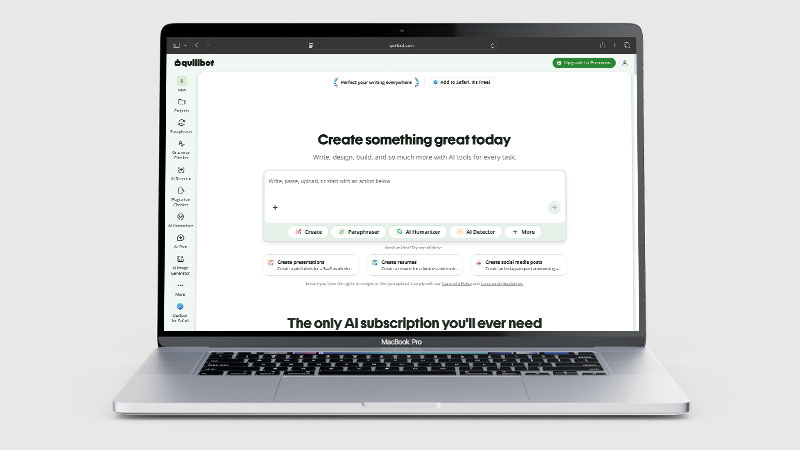
The reason 35 million people use it is straightforward: the free plan is genuinely useful, not a deliberately crippled trial. You get real paraphrasing capability at no cost. The question is whether the limitations of the free tier — word count caps and mode restrictions — push you to Premium quickly enough to matter.
What is QuillBot?
QuillBot is an AI writing tool built primarily around paraphrasing and writing improvement. Its paraphraser takes any input text and rewrites it — preserving the meaning while changing the structure, vocabulary, and tone based on the mode you select. This is useful for everything from avoiding unintentional plagiarism in academic writing to refreshing existing content for SEO to simplifying complex text for different audiences.
Beyond paraphrasing, QuillBot offers a grammar checker that catches errors Grammarly sometimes misses, a summariser that condenses long documents into key points, a plagiarism checker, and a citation generator that formats references in APA, MLA, Chicago, and other styles automatically. QuillBot Flow adds a full AI writing mode for generating first drafts from prompts.
What Can You Do With QuillBot?
QuillBot is a paraphrasing tool that has grown a writing suite around it. Here is what is included.
- Rewrite text seven ways — QuillBot offers seven paraphrasing modes, from Standard to Formal to Creative.
- Check grammar free — QuillBot’s grammar checker is free and unlimited.
- Summarise long documents — QuillBot condenses an article or report into key points.
- Build citations — QuillBot generates references in APA, MLA and Chicago.
- Check for plagiarism — QuillBot includes a plagiarism check, though it is less thorough than specialist tools.
- Translate — QuillBot handles translation alongside the writing tools.
- Work at 125 words a pass on free — QuillBot’s free paraphrasing limit is the main reason people upgrade.
QuillBot Pricing
| Plan | Price | Paraphraser limit | Modes available | Best For |
|---|---|---|---|---|
| Free | $0/mo | 125 words per pass | 2 modes (Standard, Fluency) | Occasional use, evaluating the tool |
| Premium | ~$4.17/mo (annual) / ~$9.95/mo (monthly) | Unlimited | All 7 modes | Students, writers, content teams |
The free plan’s 125-word limit per paraphrase pass is the main constraint — workable for short passages, frustrating for longer documents. Premium removes the limit entirely and unlocks all seven paraphrasing modes (Standard, Fluency, Formal, Simple, Creative, Expand, and Shorten), along with the full grammar checker, summariser, and plagiarism checker. At ~$4.17/month on annual billing, Premium is one of the best-value AI writing subscriptions available.
QuillBot Review: Pros and Cons
QuillBot Pros
- Best-in-class paraphrasing quality — output sounds natural, not robotic
- Free plan is genuinely useful for occasional paraphrasing needs
- Seven paraphrasing modes (Premium) cover every rewriting scenario
- Premium price (~$4.17/mo annual) is exceptionally affordable
- Citation generator covers APA, MLA, Chicago and more
- Works as a browser extension so it is available anywhere you write
QuillBot Cons
- Free plan’s 125-word limit per pass is restrictive for longer documents
- QuillBot Flow (AI writing) is not as strong as ChatGPT or Jasper for long-form generation
- Plagiarism checker is less comprehensive than dedicated tools like Turnitin
- Grammar checker is good but not quite at Grammarly’s level for advanced style suggestions
- Some advanced modes only available in Premium, which requires annual commitment for best price
Who Is QuillBot For?
QuillBot is well suited to students, academics, ESL writers, and professionals who need to rephrase, summarise, or improve written content quickly. If you write regularly and want a reliable tool for paraphrasing source material, simplifying complex text, or polishing drafts before submission, QuillBot covers those use cases at a competitive price. It is less suited to users who need original long-form content generation — it works with existing text rather than creating from scratch.
Key Use Cases
Academic writing. QuillBot is enormously popular with students for a reason: it helps you rephrase sources in your own words without losing the meaning, suggests clearer phrasing for complex ideas, and generates citations automatically. The Formal mode is particularly useful for academic tone. Whether this is used ethically is up to the user, but as a tool for improving writing clarity and managing citations, it is genuinely valuable.
Content marketing and SEO. Content teams use QuillBot to freshen up older articles, generate alternative versions of existing copy for A/B testing, and simplify complex product descriptions for different audiences. The Shorten and Expand modes are particularly useful here — compressing a long paragraph for a meta description or expanding a bullet point into a full paragraph.
Non-native English writing. For professionals writing in English as a second language, QuillBot’s Fluency and Standard modes do an excellent job of smoothing out phrasing that is technically correct but awkward. The grammar checker catches common ESL errors reliably.
What Are the Downsides of QuillBot?
QuillBot’s core strength is rewriting existing text, not generating new ideas. It will not replace a tool like ChatGPT or Jasper for content ideation, long-form drafting, or research. If you need to produce content from scratch at scale, you will want a dedicated AI writing platform rather than QuillBot alone.
The plagiarism checker is useful but should not be treated as a substitute for Turnitin or Copyscape in high-stakes academic or legal contexts. It does not check against databases that require institutional access, and its coverage of academic journals is not comprehensive. Use it as a sanity check, not a final clearance.
How Does QuillBot Compare to Grammarly?
Grammarly and QuillBot solve different problems. Grammarly is primarily a grammar, spelling, and style checker — it tells you what is wrong with your writing and how to fix it. QuillBot is primarily a paraphraser — it rewrites your text to say the same thing differently, or better. Both have grammar checkers, but Grammarly’s is more advanced. Both have some rewriting capability, but QuillBot’s is far superior. For most users, the ideal setup is both: write and check in Grammarly, then use QuillBot to tighten or rephrase where needed. If you can only afford one, choose based on whether your biggest need is error correction (Grammarly) or rewriting and paraphrasing (QuillBot).
| Feature | QuillBot | Grammarly |
|---|---|---|
| Free plan | ✓ 125 words/pass | ✓ Basic grammar only |
| Starting price | ~$4.17/mo (annual) | ~$12/mo (annual) |
| Paraphrasing | ✓ Excellent, 7 modes | ✗ Basic only |
| Grammar checking | ✓ Good | ✓ Best-in-class |
| Tone & style suggestions | Basic | Advanced |
| Best for | Paraphrasing & rewriting | Grammar & tone polish |
Is QuillBot Good? Our Verdict
Yes — we scored QuillBot 8.5/10. The paraphrasing is best in class and reads naturally rather than mechanically, and the free plan does real work. The 125-word limit per pass is what pushes most people to upgrade, and QuillBot Flow is weaker than ChatGPT for long-form writing.
QuillBot delivers on its core promise better than any competitor: if you need to rephrase text intelligently, it is the best tool available. The free plan is generous enough to be practically useful, and Premium at ~$4.17/month is arguably the best-value AI writing subscription on the market. The platform has expanded thoughtfully beyond paraphrasing without losing its focus.
It is not a replacement for a dedicated grammar tool like Grammarly for error correction, nor a replacement for ChatGPT for idea generation and long-form writing. But as a specialist paraphrasing and writing refinement tool, it is essentially unrivalled.
QuillBot Review Rating: 8.5/10
Every tool we review is signed up for and tested by hand. See how we test and score.
Best for: Students, content writers, and professionals who need to rephrase, summarise, or refine text efficiently and affordably.
Not ideal for: Long-form AI content generation or advanced grammar and style coaching — use ChatGPT and Grammarly respectively for those needs.
QuillBot Score Breakdown
| Output quality | 9/10 | Best-in-class paraphrasing that reads naturally rather than mechanically |
| Ease of use | 9/10 | Straightforward, with seven modes to pick from |
| Features | 8/10 | Grammar, summarising and citations included; Flow is weaker than ChatGPT for long-form |
| Value for money | 8.5/10 | The free plan is genuinely useful, though capped at 125 words a pass |
| Overall score | 8.5/10 | The best paraphrasing tool available, and the free tier does real work |
Frequently Asked Questions
Is QuillBot legit?
Yes. QuillBot is a well-established writing tool with millions of users and a free tier that needs no payment details. If you are asking about academic use, check your institution policy on paraphrasing tools before relying on it.
Is QuillBot free?
Yes. QuillBot has a free plan that includes paraphrasing (up to 125 words per pass), two paraphrasing modes (Standard and Fluency), a basic grammar checker, and a summariser. It is genuinely useful for occasional use. The 125-word limit per pass is the main restriction that pushes regular users toward Premium.
Is QuillBot good for academic writing?
Yes, with caveats. QuillBot is excellent for paraphrasing sources, simplifying complex passages, and generating citations in the correct format. Whether using it to rephrase content is considered acceptable depends on your institution’s AI use policies — check before using it for assessed work. Used ethically, it is a powerful writing aid for non-native speakers and anyone improving their academic writing clarity.
Can QuillBot be detected by AI detection tools?
QuillBot-paraphrased text can sometimes be flagged by AI detection tools, as the output patterns are identifiable. Results vary by tool and by how heavily the original text has been reworked. If you are concerned about detection, always review and edit the QuillBot output substantially in your own voice before submission.
Is QuillBot Premium worth it?
At ~$4.17/month on annual billing, QuillBot Premium is one of the most affordable AI writing subscriptions available. If you use the paraphraser regularly, the removal of the 125-word limit and access to all seven modes (including Formal, Creative, Shorten, and Expand) makes Premium worth it almost immediately. Monthly billing (~$9.95/month) is less compelling — go annual if you decide to upgrade.
Alternatives to QuillBot
Grammarly — Better for grammar, spelling, and style correction. Weaker at paraphrasing but more comprehensive for overall writing quality. Premium starts at ~$12/mo. See our Grammarly review.
WordAI — A more advanced paraphrasing tool aimed at content marketers who need to spin articles at scale. More expensive than QuillBot but produces different output structures suited to bulk content production.
ChatGPT — Better for writing from scratch, ideation, and complex rewriting tasks. Not as focused or fast as QuillBot for pure paraphrasing, but covers far more writing use cases overall. See our ChatGPT review.
More from WhatAITools: Jasper AI review, Sudowrite review and Surfer SEO review.

James is an SEO and content specialist with over 12 years’ experience, and tests AI tools so everyday people don’t have to. WhatAITools.co.uk covers honest, no-jargon reviews to help you find the right tool for your needs.
Leave a Reply