⚠️ Affiliate Disclosure: This post is not an affiliate associated review. It may become one in the future and this disclosure will reflect that. This does not affect my reviews and I only recommend tools I genuinely believe in.
A free SEO review tells you what’s stopping your website from being found, and you don’t need to pay for one to get started. These are the free website SEO review tools I’ve used on my own sites, including WhatAITools itself, with what each one actually checks and where it stops. Every tool with a score has a full hands-on review on WhatAITools.
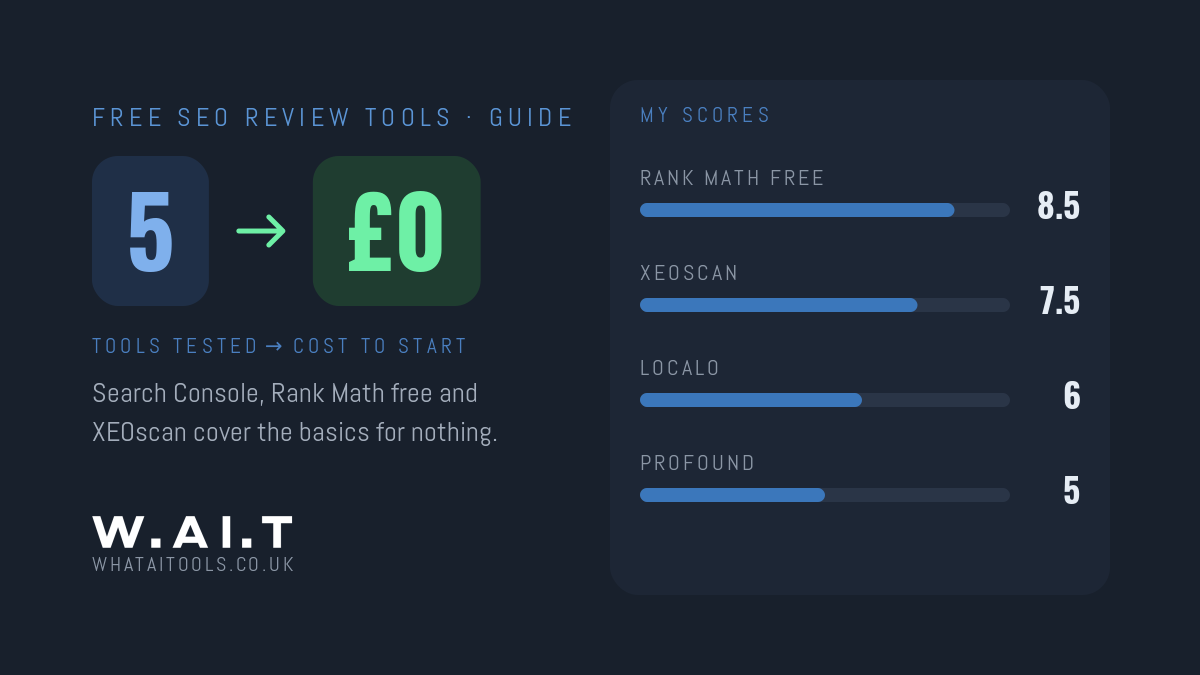
Quick answer: start with Google Search Console, which is free and shows how Google actually sees your site. Add Rank Math free if you run WordPress, for page-by-page on-site checks. Then run XEOscan, which is free with no account, to see whether AI search tools can read your site. If you’re a local business, Localo’s profile audit scores your Google Business Profile out of 100 on its free trial.
The Free SEO Review Tools I’ve Tested, at a Glance
| Tool | What it reviews | Free? | My score |
|---|---|---|---|
| Google Search Console | How Google indexes and ranks your site | Free | Not scored (Google’s own tool) |
| Rank Math free | On-page SEO for each WordPress post | Free plugin | 8.5/10 |
| XEOscan | Whether AI search tools can read and cite your site (47+ checks) | Free, no account | 7.5/10 |
| Localo | Your Google Business Profile, scored out of 100 | 14-day free trial | 6/10 |
| Profound | Whether AI crawlers can reach every page in your sitemap | Free trial | 5/10 |
How Do I Get a Free SEO Review of My Website?
You get a free SEO review by running three kinds of check: what Google sees (Search Console), what is on each page (an on-page checker such as Rank Math free), and whether AI search tools can read the site (XEOscan). No single free tool covers all three, which is why most paid “SEO review” offers bundle them. Running them yourself takes under an hour for a small site.
1. Google Search Console: Start Every SEO Review Here
Google Search Console is the free tool I check most often on WhatAITools. It shows which searches bring up your site, how many impressions and clicks each one gets, your average position, and which pages Google has or hasn’t indexed. No paid tool has better data on Google, because it comes from Google.
Its limit is the one I raised in a recent LinkedIn discussion: in my own data, the searches Search Console lists covered only about 42% of my clicks. The rest are anonymised, and no tool can recover them. Treat any search-by-search review as partial.
2. Rank Math Free: Best Free On-Page SEO Review for WordPress
Rank Math free is the SEO plugin this site runs on, and I use the free version only. It scores each post against its on-page checks as you write, and sets titles, meta descriptions, schema, sitemaps and redirects. For a WordPress site, that is a page-by-page SEO review built into the editor at £0.
It only reviews WordPress sites, and only page by page. It won’t tell you how you rank or whether AI can read your site. I scored Rank Math free 8.5/10. Read my full Rank Math free review.
3. XEOscan: Best Free Check of Whether AI Can Read Your Site
XEOscan is free, needs no account, and returns a report within seconds of entering your URL. It runs 47+ checks on crawlability, structured data, content structure and AI-specific signals, so it reviews something most SEO checkers ignore: whether ChatGPT, Perplexity and Google’s AI Overviews can actually use your pages.
It is deliberately narrow. There’s no ongoing monitoring, so you re-run it after changes, and it says nothing about your rankings. I scored XEOscan 7.5/10. Read my full XEOscan review.
4. Localo: A Free-Trial Review of Your Google Business Profile
Localo is for local businesses. Its audit scores your Google Business Profile out of 100 and gives you a short list of fixes, and its position map shows where you rank across town. I tested it on my own business profile on the 14-day free trial, which needs no card.
Two warnings from my test. The free rank checker cut me off with “Limit reached” and pushed me to the trial, and my audit score stayed at 60/100 for the whole week. Localo also ticked off a task without checking the profile had changed. Paid plans start at £29 a month (£24.08 billed annually). I scored Localo 6/10. Read my full Localo review.
5. Profound: A Free-Trial AI Crawler Audit
Profound is built for big brands, and most of its trial didn’t help me. One feature did: its ready-made “AI Crawler Readiness Audit” checked all 140 pages in my sitemap against 15 AI crawlers and returned a clear report, with no upgrade prompt. It confirmed every AI crawler could reach WhatAITools.
Use it for that one audit while the trial lasts, not for tracking. I scored Profound 5/10. Read my full Profound review.
Which Free SEO Review Tool Should You Use?
- Every website: Google Search Console, then XEOscan.
- WordPress sites: add Rank Math free for page-by-page checks.
- Local businesses: try Localo’s profile audit on its free trial, and judge it on the fixes, not the score.
- Checking AI crawlers across a whole site: Profound’s crawler audit, while its trial lasts.
If you’re comparing paid SEO software rather than free checks, see my best AI SEO tools ranking.
Frequently Asked Questions
Is there a free SEO review tool?
Yes. Google Search Console is free and shows how Google indexes and ranks your site. Rank Math free reviews on-page SEO for WordPress, and XEOscan checks whether AI search tools can read your site, free with no account.
What does an SEO review of a website check?
A website SEO review checks whether search engines can find and index your pages, whether each page has a clear title, description and structure, and how you rank for the searches that matter. A modern review also checks whether AI search tools such as ChatGPT can read and cite your site.
How often should I review my website’s SEO?
Check Google Search Console weekly, and re-run a full review such as XEOscan after any big change to your site, like a redesign, new theme or batch of new pages.
Every tool I review is signed up for and tested by hand. See how I test and score.
Leave a Reply