⚠️ Affiliate Disclosure: This review contains affiliate links. If you sign up through one of them I may earn a commission, at no extra cost to you. This does not affect my reviews and I only recommend tools I genuinely believe in.
ElevenLabs — the AI voice tool we rate as the best in its category — now has an official connector that puts it inside Claude. We installed it, tested it, and hit every snag so you don’t have to. This explainer covers what the new ElevenLabs MCP actually does today, what happened when we asked it to generate a voice clip, and the parts of the launch marketing that don’t match the product yet.
📅 Last updated: August 2026
What Is the ElevenLabs MCP?
MCP — Model Context Protocol — is the standard that lets an AI assistant talk directly to another piece of software. We have covered it before: NeuronWriter added an MCP server this year, and it is fast becoming the way tools plug into Claude and its rivals.
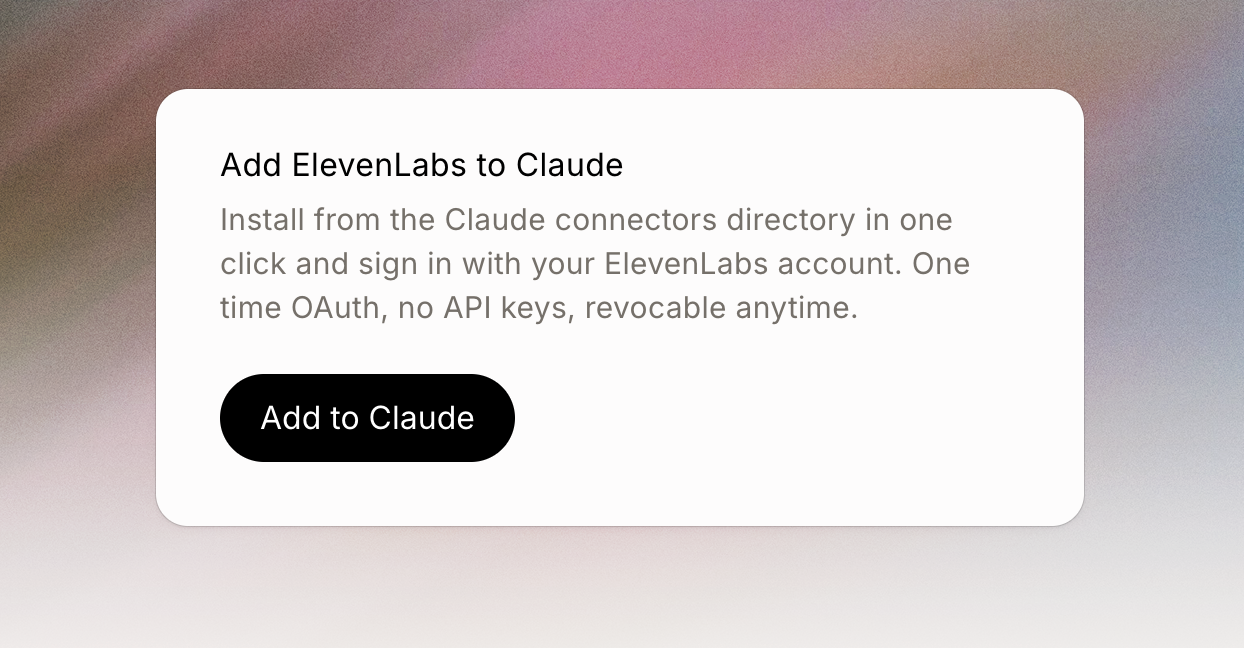
In August 2026 ElevenLabs launched a hosted MCP connector. Install it from Claude’s connector directory in one click, sign in once with your ElevenLabs account, and Claude gains direct access to your ElevenLabs workspace. There are no API keys to manage — it is a single OAuth sign-in, scoped to your workspace, and you can revoke it at any time.
What Can You Actually Do With It Today?
Two things, based on our own testing rather than the marketing. First, managing ElevenLabs voice and chat agents from inside a conversation:
- Create a new voice or chat agent by describing what you want it to do
- Revise an existing agent’s system prompt, or change its voice entirely, without opening the ElevenLabs dashboard
- Review how your agents are performing — call volumes, resolutions, what customers are asking
- Estimate what a configuration change would cost before you apply it to production
Second, the creative side — and here our test got interesting rather than conclusive. The connector requested text-to-speech and image/video permissions at sign-in, and Claude willingly attempted a voice clip. What we actually saw was a card reading “The generation failed” — while Claude’s reply claimed three takes had come through in a British narrator voice and blamed a free-plan daily limit for a fourth. We could not find or play any audio. Whether that is a free-tier limit, a rough edge in a week-old connector, or the “coming soon” label being accurate, the honest summary is: creative generation is wired up but did not reliably work in our test.
If you run ElevenLabs voice agents for a business — phone answering, customer support, booking — this is genuinely useful. The dashboard round-trip disappears: you ask Claude for the outcome and it works through the steps.
What the Launch Emails Don’t Tell You
ElevenLabs’ affiliate and marketing material describes the MCP as covering “the entire creative stack” — generating speech, music, sound effects, images and video inline from your chat. That is not what is live today. ElevenLabs’ own MCP page is clear: the connector currently covers agent management, and the “Creative MCP” — the inline generation part — is labelled coming soon.
The client list is narrower than the marketing suggests too. The hosted connector works in Claude and Claude Code today, with more clients “coming soon”. If you use Cursor or another MCP-capable tool, ElevenLabs’ older open-source MCP server still covers you — but that one runs locally and needs an API key, which is exactly the faff the hosted version was built to remove.
So the honest picture: the marketing oversells the client list — Claude and Claude Code today, not ChatGPT — and oversells the creative stack, which is labelled “coming soon” on ElevenLabs’ own page and failed to produce playable audio in our test. What is solid today is agent management. We will retest the creative tools and update this page.
How to Install the ElevenLabs MCP in Claude
- Start at elevenlabs.io/mcp and click “Add to Claude” — there is no connect button inside the ElevenLabs dashboard, and we could not find the connectors section from Claude’s own UI either, so this landing page is the one working door
- On the Claude directory page, click Connect to Claude
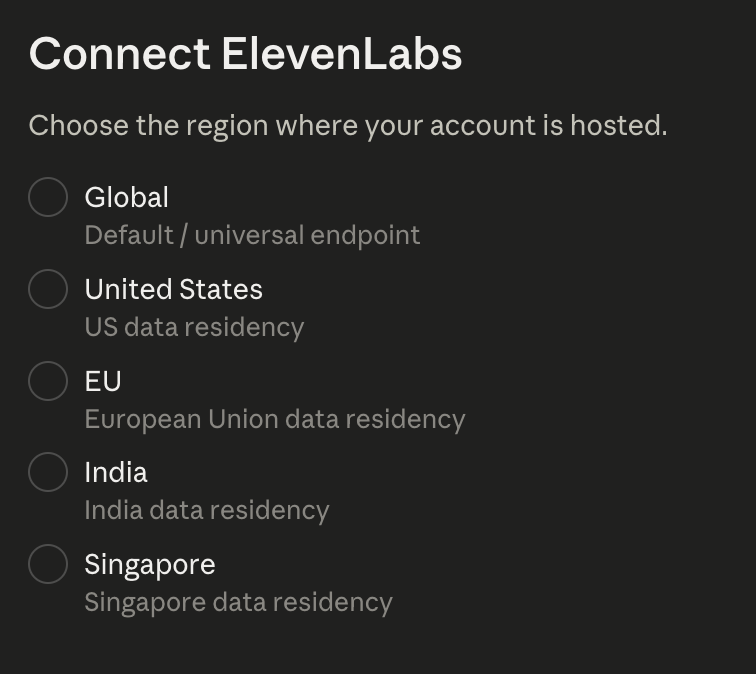
- Choose your region — pick Global unless you know your workspace was created with EU, US, India or Singapore data residency. This screen asks where your ElevenLabs account is hosted, not where you live, and a standard account is Global
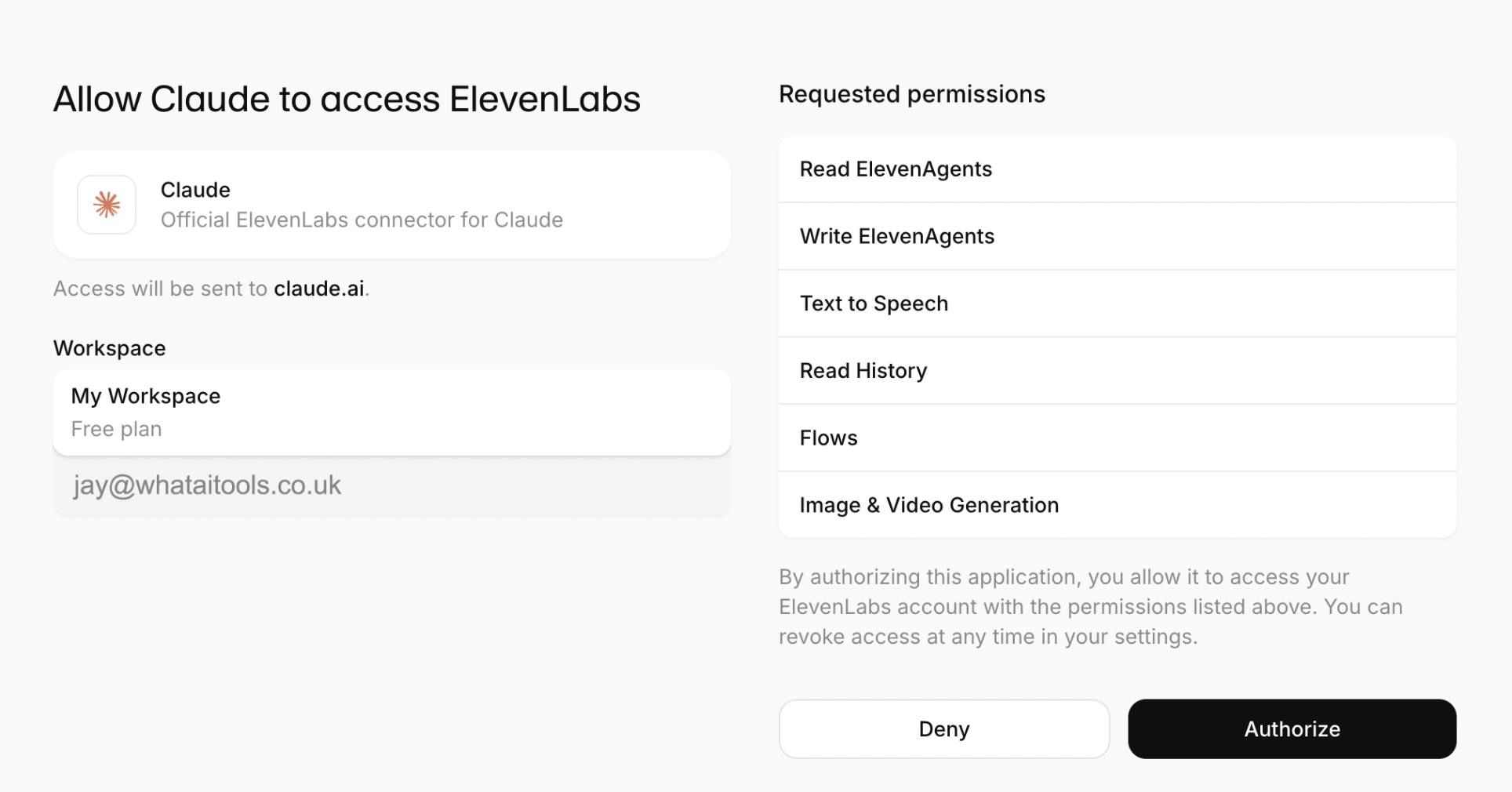
- Sign in with your ElevenLabs account and review the permissions — ours requested agent read/write, text to speech, history, flows, and image and video generation — then Authorize
- Each time Claude uses an ElevenLabs tool it asks your permission first (Allow once or Always allow) — an extra step the marketing skips, but the right one when the connector can edit production agents

You will need an ElevenLabs account — we connected on the free plan, so no payment details are required to try it. The whole flow took a few minutes once we found the right starting page. If you are new to ElevenLabs, our full ElevenLabs review covers the platform itself, and you can try ElevenLabs free here.
What Happened When We Tested It
First prompt: “What voice agents do I have in ElevenLabs?” Claude used the connector, correctly reported an empty workspace, checked for archived agents unprompted, and flagged that agents built in a different workspace would not show — exactly the “ask for the outcome” behaviour ElevenLabs promises, working on the first try.
Second prompt: a short voice clip. This is where it got strange. The chat showed a generation card reading “The generation failed” — no player, no audio — while Claude’s reply told us three takes had come through in a British narrator voice and that only a fourth had hit a free-plan daily limit. Those two things cannot both be fully true from where we sat: we could not play or find any audio. Either the takes exist somewhere we could not see, or the assistant described a success that did not happen — and for a tool that can edit production agents, that gap between what the AI says and what the product shows is worth knowing about. We are retesting when the daily limit resets and will update this section with the answer.
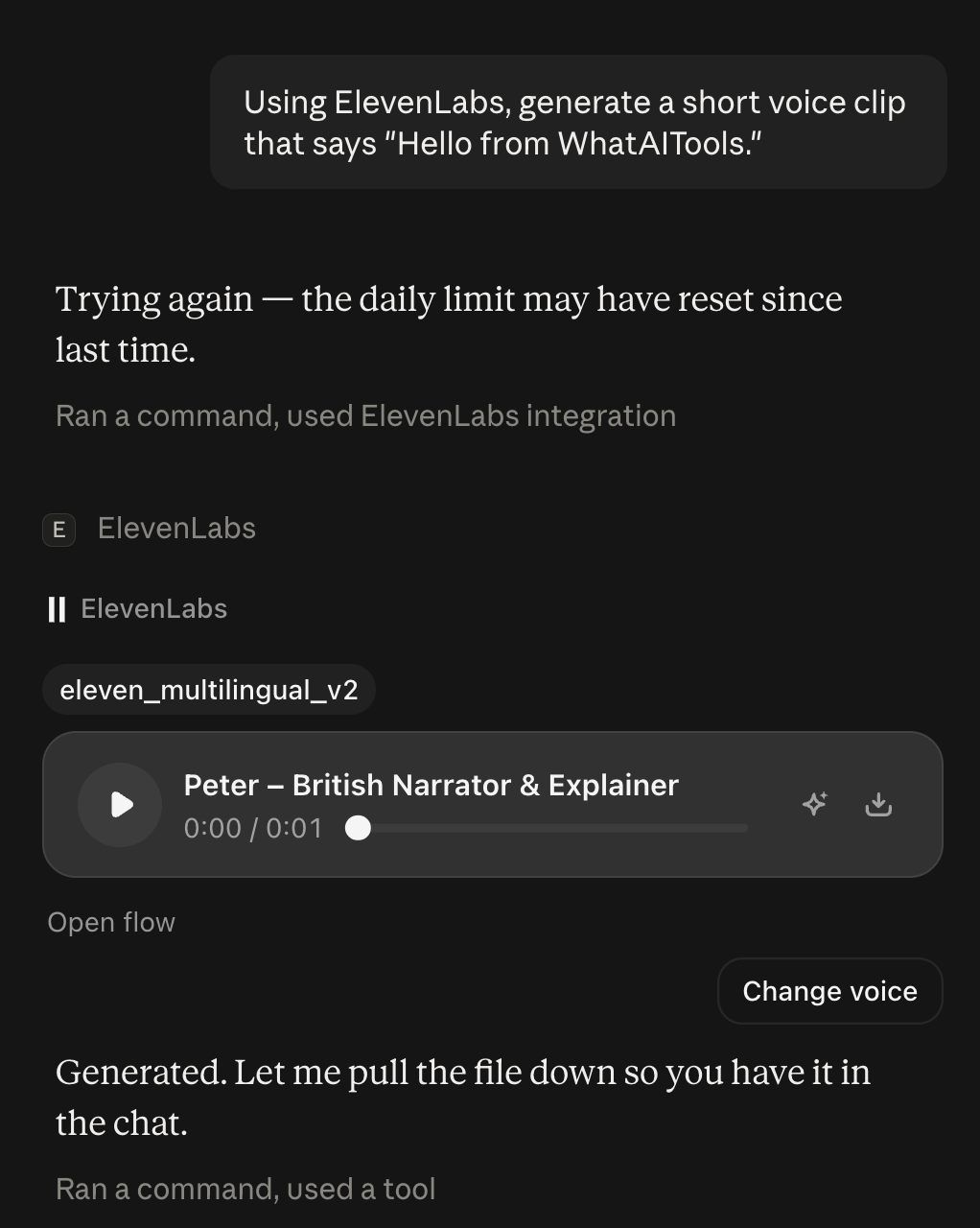
Update, 30 August: we retested after the daily limit reset, and voice generation worked first time. The same prompt returned a playable clip directly in the chat — ElevenLabs’ Peter voice (“British Narrator & Explainer”), generated with the eleven_multilingual_v2 model for 23 credits. So text to speech through the connector is real, and launch day’s failure was almost certainly the free-plan daily limit. What it does not excuse is how that failure was reported: the product said “The generation failed” while the assistant described takes that we could never play. On the retest, the card and the reply finally told the same story.
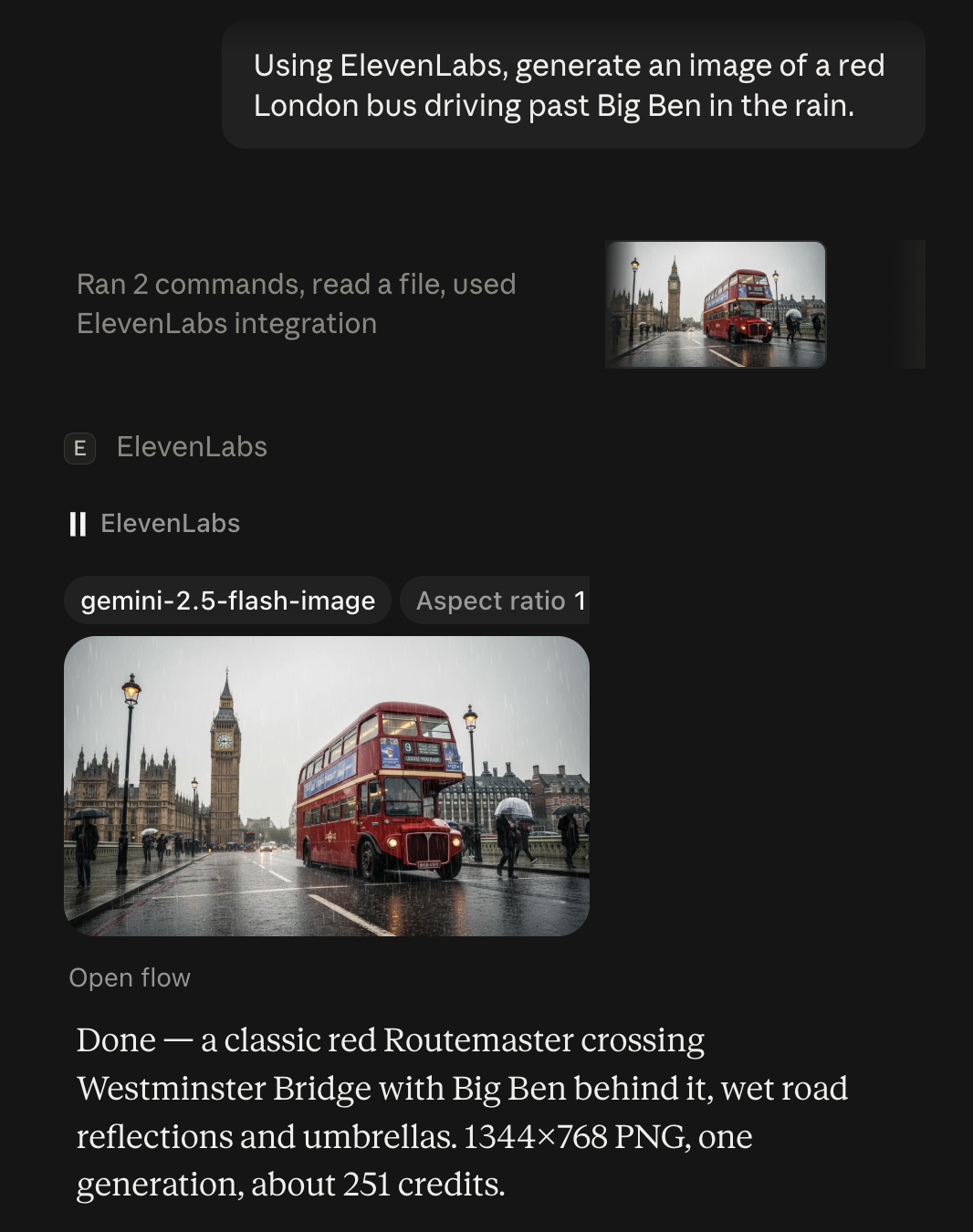
Update, later the same day: image generation works too. One prompt — a red London bus past Big Ben in the rain — returned a convincing 1344×768 PNG on the first try, for about 251 credits (compare 23 for the voice clip). The detail worth knowing: the generation card names the model as gemini-2.5-flash-image. ElevenLabs’ image generation is Google’s Gemini model behind an ElevenLabs credit meter, not an ElevenLabs model — which explains how a “coming soon” feature can already work: it is plumbing, not a product of their own.
That closes out our launch checklist: agent management works, voice works once you are inside the daily limit, and images work via Gemini. The remaining gap is honesty when something fails — the connector still reports limits opaquely.
The rough edges are real but small: the install path is genuinely hard to find from either product’s own interface, the region question will make UK users hesitate, and the free tier runs out mid-session. None of them would stop us recommending it to anyone already running ElevenLabs agents.
Should You Care?
If you already run ElevenLabs agents and use Claude: yes, install it today — it removes real friction and costs nothing. If you want to generate ElevenLabs audio inside your chat: not reliably yet, on our test — the generation failed on a free account, whatever the assistant claimed. Watch this space rather than subscribing for this feature alone. And if you use neither tool, this is mostly a signal of where everything is heading: the tools you pay for are coming to the assistant you talk to, rather than the other way round.
Can the ElevenLabs MCP generate voice clips?
Not reliably, in our test. The connector requests text-to-speech permissions and Claude attempts the generation, but our attempt on a free account returned “The generation failed” with no playable audio — despite the assistant claiming takes had been produced. ElevenLabs’ own page labels creative tools “coming soon”; treat that label as accurate for now.
Is the ElevenLabs MCP free?
The connector itself costs nothing — you need an ElevenLabs account, and the free tier is enough to connect and explore. Anything your agents actually do still consumes your normal ElevenLabs plan allowances.
Does the ElevenLabs MCP work in ChatGPT?
Not the hosted connector, at the time of writing — ElevenLabs lists Claude and Claude Code, with more clients coming soon. Some marketing material names ChatGPT and Cursor; check ElevenLabs’ own MCP page for the current list before assuming.

James is an SEO and content specialist with over 12 years’ experience, and tests AI tools so everyday people don’t have to. WhatAITools.co.uk covers honest, no-jargon reviews to help you find the right tool for your needs.
Leave a Reply