⚠️ Affiliate Disclosure: This post is not an affiliate associated review. It may become one in the future and this disclosure will reflect that. This does not affect my reviews and I only recommend tools I genuinely believe in.
This Kling AI review covers the video generator with the most generous free plan in the category — 66 credits every day, renewing, forever. We look at what those credits actually buy, the watermark and commercial-use restrictions on free output, and how the paid tiers compare once you need something publishable.
Kling AI Review
Most AI video tools give you a handful of credits and hope you subscribe before you notice. Kling gives you 66 a day, every day, and lets you keep experimenting indefinitely.
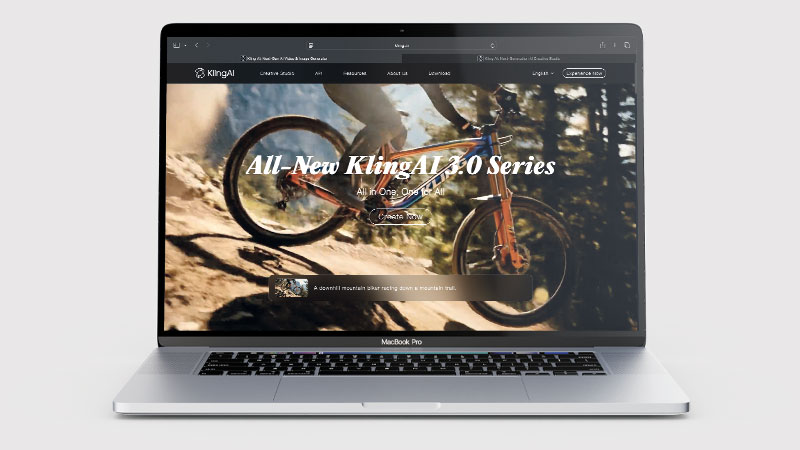
That single decision makes Kling the best place to learn AI video without spending anything. The restrictions arrive when you want to use the output rather than admire it.
What is Kling AI?
Kling generates video from text or images using its own model family, currently in the 3.0 generation. It handles text-to-video, image-to-video and motion control, with a straightforward interface aimed at creators rather than production teams.
Everything runs on credits priced per second of output. Kling 3.0 ranges from around 6 credits per second at 720p without audio up to about 12 credits per second at 1080p with native audio.
What Can You Do With Kling AI?
Kling AI is the cheapest serious route into AI video, with a free allowance that renews every day.
- Generate video from text or an image — Kling AI handles both, with strong motion and physical realism.
- Get 66 free credits daily — Kling AI renews its free allowance every day rather than giving a one-off trial.
- Sign in without friction — Kling AI accepts Google, Apple or email.
- Work without production experience — Kling AI’s interface does not assume you have used editing software.
- Pay little to remove the limits — Kling AI’s entry tier is cheap next to Runway or Luma.
- Accept the free-tier trade-offs — Kling AI watermarks free output, caps it at 720p and five seconds, and blocks commercial use.
Kling AI Pricing
| Plan | Price (monthly) | What you get |
|---|---|---|
| Free | $0 | 66 credits daily, watermarked, 720p, 5-second cap, no commercial use |
| Standard | From around $7 | Watermark removed, commercial use, higher limits |
| Pro | Around $26 | More credits, higher resolution and longer clips |
| Premier | Around $65 | Heavy use |
| Ultra | $128+ | Highest volume tier |
Free credits reset every 24 hours and do not roll over — roughly six standard clips a day. That is a genuinely useful allowance rather than a token.
The free tier’s real limits are the watermark, the 720p ceiling, the five-second cap and the absence of commercial rights. You can learn on it; you cannot publish from it.
Annual billing cuts roughly 20–34% off. Subscription credits still expire at the end of each billing month, so unused credits are lost.
Kling AI Review: Pros and Cons
Kling AI Pros
- 66 free credits every day, renewing — the most generous free plan around
- Login with Google Chrome, Apple or email
- Output quality competitive with tools charging far more
- Strong motion handling and physical realism
- Simple interface that does not assume production experience
- Cheap entry tier compared with Western rivals
- Native audio generation on higher-resolution settings
Kling AI Cons
- Free output is watermarked and cannot be used commercially
- Free tier capped at 720p and five seconds
- Credits expire monthly on paid plans too
- Pricing varies confusingly across sources and regions
- Fewer editing tools than production-focused platforms
- Support and documentation thinner than Western competitors
Who Is Kling AI For?
Kling suits anyone learning AI video. The daily free allowance means you can experiment for weeks and understand what these tools can and cannot do before paying anything.
It suits social creators who need volume more than polish, and small businesses testing whether AI video is worth budgeting for.
It suits less well if you need a full editing workflow, or if you are working to a client brief where control matters more than iteration.
Key Use Cases
- Learning AI video — the free daily credits make this the obvious starting point
- Social content — short clips at volume
- Concept testing — trying ideas before committing budget elsewhere
- Image animation — bringing stills to life
- Prompt practice — understanding how phrasing changes output
What Are the Downsides of Kling AI?
The commercial-use restriction on free output is the one that catches people. You can produce something you like and then discover you cannot legally publish it without upgrading.
Pricing is genuinely hard to pin down — different sources quote materially different figures and regional pricing varies. Check the current page rather than trusting any comparison article, including this one.
Kling generates well but does not edit. Pair it with something else for anything beyond a single clip.
How Does Kling AI Compare to Runway?
| Kling AI | Runway | |
|---|---|---|
| Free credits | 66 daily, renewing | 125 one-time |
| Free commercial use | No | No |
| Editing tools | Minimal | Full editor |
| Entry paid plan | From around $7 | $12/mo annual |
| Other models included | No | Veo, Kling, Seedance, FLUX |
| Best for | Free experimentation | Finished production |
Ironically, a Runway subscription includes Kling 3.0 Pro — so if you end up paying for either, check what you are already getting. See our Runway review.
Is Kling AI Good? Our Verdict
Yes, for the money — we scored Kling AI 8/10. Output quality competes with tools charging far more, and 66 free credits renew every day. The free tier is restrictive: watermarked, 720p, five seconds, and no commercial use.
Kling AI is the most generous entry point into AI video by a wide margin. Sixty-six renewing credits a day is enough to genuinely learn the craft, and the output quality holds up against tools costing considerably more.
The catch is well signposted rather than hidden: free output is watermarked, capped at 720p and five seconds, and cannot be used commercially. That is a fair trade for unlimited practice.
Where it falls short is workflow. Kling generates clips; it does not help you assemble them. For anything beyond a single shot you will want an editor alongside it.
Kling AI Review Rating: 8/10
Every tool we review is signed up for and tested by hand. See how we test and score.
Best for: Anyone learning AI video, and social creators who need volume over polish.
Not ideal for: Client work needing editing control, or anyone who cannot live with watermarks until they subscribe.
Kling AI Score Breakdown
| Output quality | 8.5/10 | Strong motion and prompt adherence for the price |
| Ease of use | 8.5/10 | Simple to drive, with a renewing daily credit allowance |
| Features | 7.5/10 | Fewer editing tools than production-focused rivals |
| Value for money | 7.5/10 | Free output is watermarked, 720p and five seconds, and credits expire monthly |
| Overall score | 8/10 | Good value AI video, let down by a restrictive free tier |
Frequently Asked Questions
Is Kling AI worth it?
Yes, it is among the cheapest ways in. Kling AI renews 66 free credits daily and its entry tier undercuts Runway and Luma. Free output is watermarked, 720p, five seconds and non-commercial, so any real work needs a paid plan.
How do you sign up for Kling AI?
You can sign up with an email address, or use a Google or Apple account if you prefer a one-click option. No credit card is required for the free tier.
Is Kling AI free?
Yes — 66 credits a day, renewing every 24 hours, roughly six standard clips. Free output is watermarked, capped at 720p and five seconds, and cannot be used commercially.
Can I use Kling videos commercially?
Not on the free plan. Commercial rights and watermark removal start with the Standard tier.
How much does Kling AI cost?
Standard starts from around $7 a month, Pro around $26 and Premier around $65, with annual billing cutting 20–34%. Figures vary by region and source, so check the current page.
Do Kling credits roll over?
No. Free credits reset daily and subscription credits expire at the end of each billing month.
Alternatives to Kling AI
Runway — A full editor and bundled access to several frontier models, including Kling itself. See our Runway review.
Luma Dream Machine — Also offers a daily free allowance, with strong quality. See our Luma review.
Dreamina — ByteDance’s consumer platform with 225 daily free tokens and cheap membership. See our Dreamina review.
More from WhatAITools: Runway review, Luma review and Dreamina review.

James is an SEO and content specialist with over 12 years’ experience, and tests AI tools so everyday people don’t have to. WhatAITools.co.uk covers honest, no-jargon reviews to help you find the right tool for your needs.
Leave a Reply